Plan a full day of deliveries in minutes
Afi Planner turns a spreadsheet of orders into optimized routes, sends them to your drivers’ phones and keeps customers updated with live ETAs, all from one screen.
The live demo shows a lighter day with 3 vans
- Free for 3 months
- No credit card
- First routes in under 3 minutes
Built by Afi Labs, a Google Maps Platform Premier Partner whose routing work powers delivery teams at
- FreshDirect
- FedEx
- Gojek
- RedMart
- Shell
- Janio
One week at a grocery delivery company
Real routes and streets from our demo company
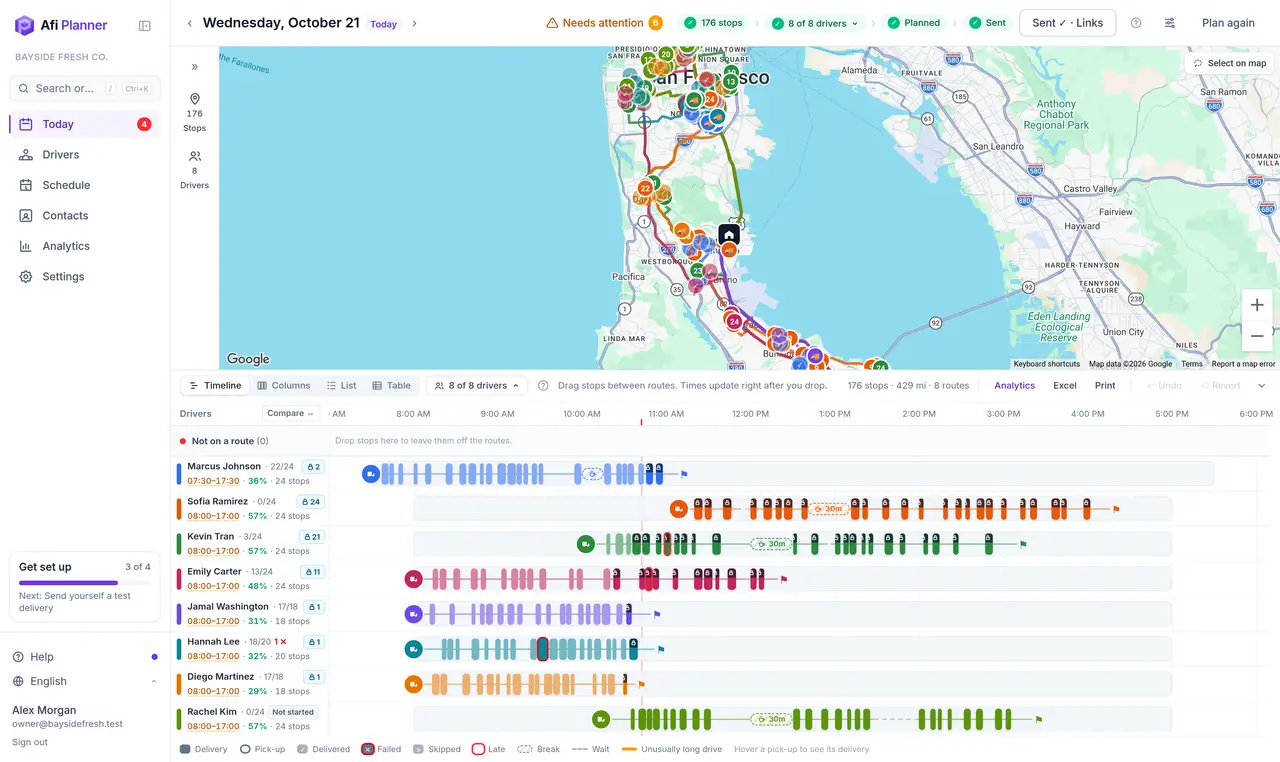
Every screenshot on this site comes from Bayside Fresh Co., our demo company in the San Francisco Bay Area: 8 vans and about 175 orders a day, planned by Afi Planner on real roads.
- to plan 176 stops for 8 drivers
- ~40 s
- to plan 176 stops for 8 drivers
- of orders delivered on the first try
- 97%
- of orders delivered on the first try
- arrived inside the customer’s window
- 93%
- arrived inside the customer’s window
- average customer rating
- 4.7 ★
- average customer rating
The planning time is measured on the demo company’s day; the other numbers come from its generated week of deliveries, not from customers.
How it works
From spreadsheet to drivers’ phones in four steps
- 1
Add your stops
Paste rows from Excel or Google Sheets, or drop a CSV. Columns are detected for you.
- 2
Pick today’s drivers
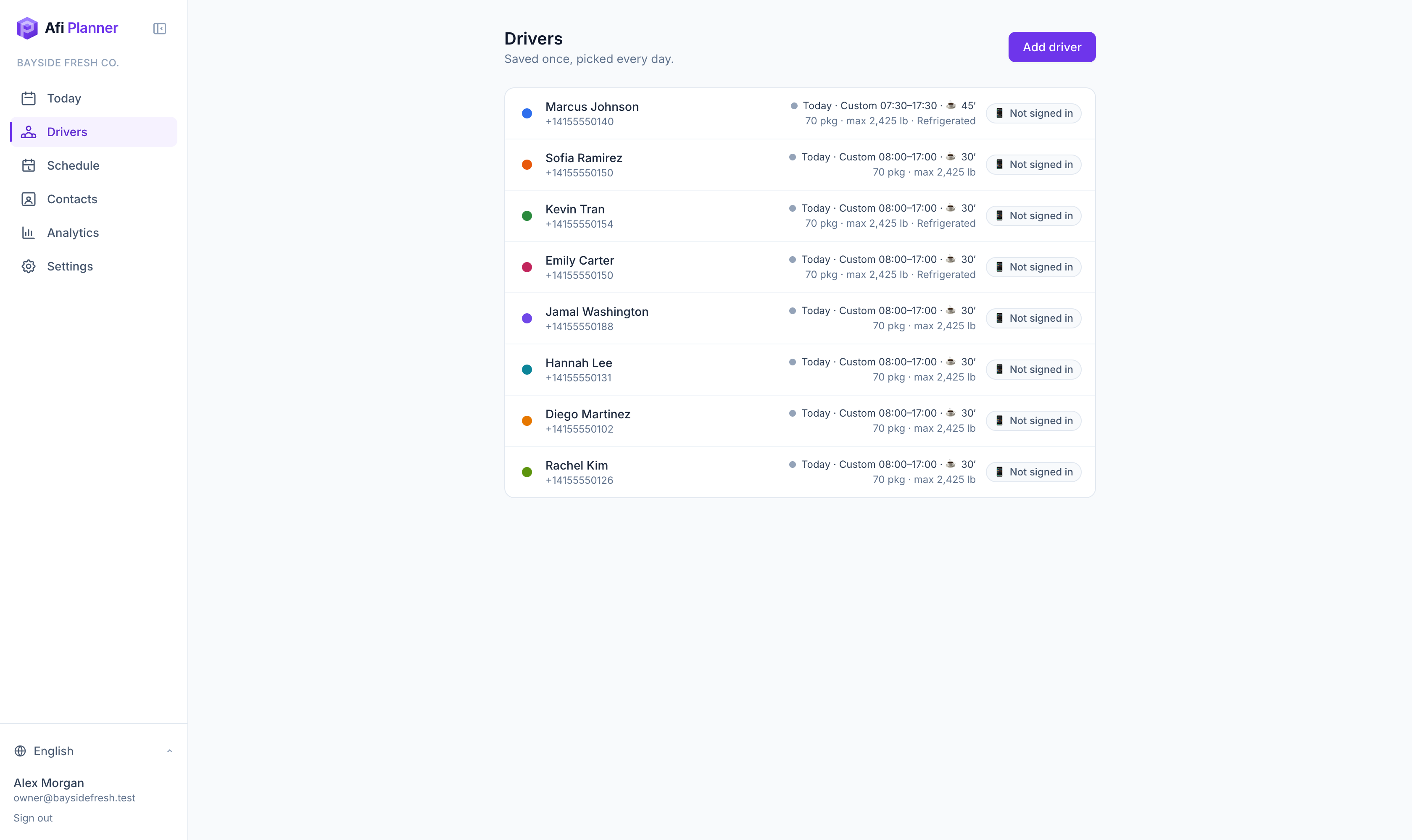
Drivers, vans and shifts are saved once. Today’s team comes from your schedule.
- 3
Plan in one click
Every route is optimized at once, with time windows, capacity and breaks built in.
- 4
Send and relax
Drivers get their route on their phone. Customers get a live tracking link.
Plan
Routes that respect how your day really works
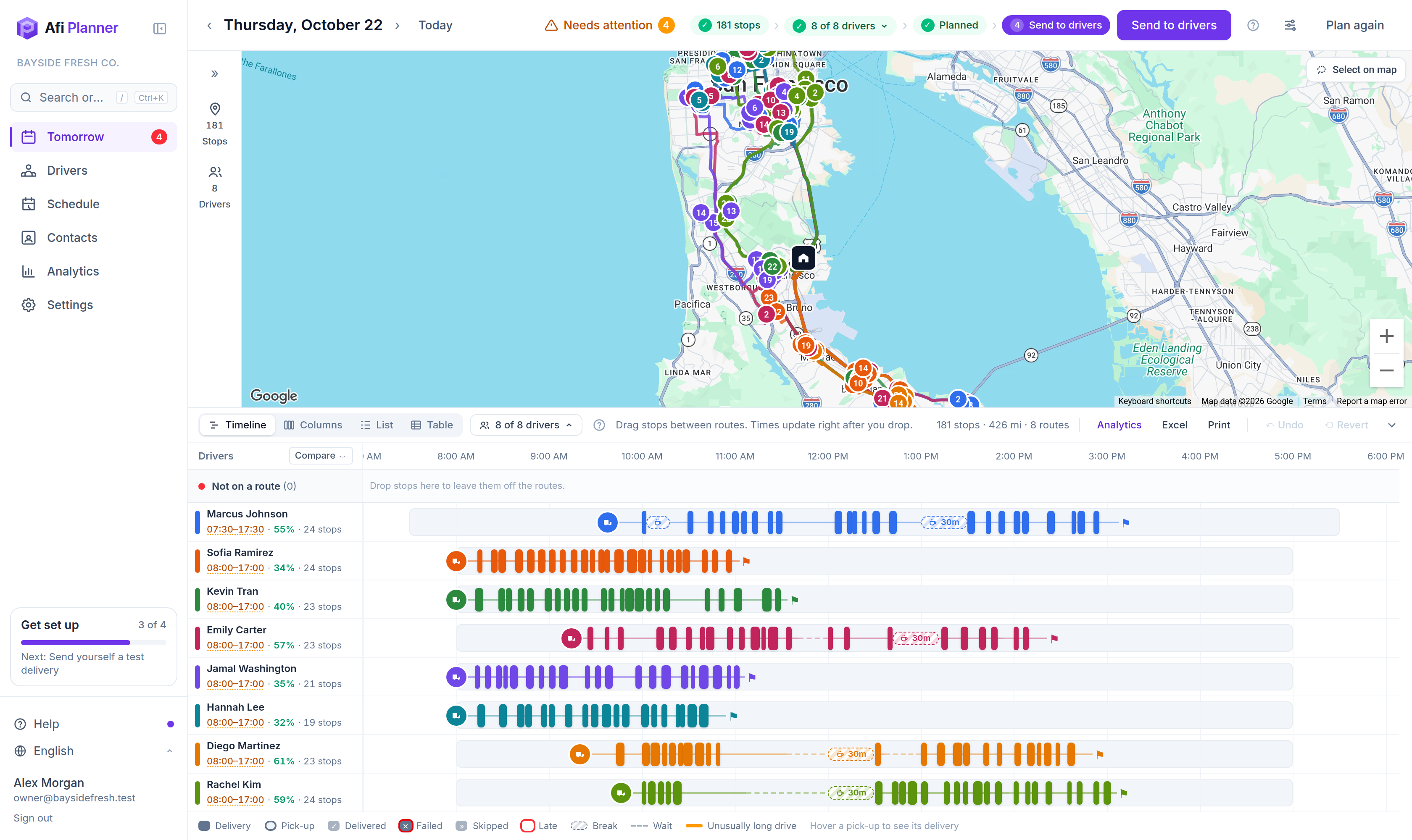
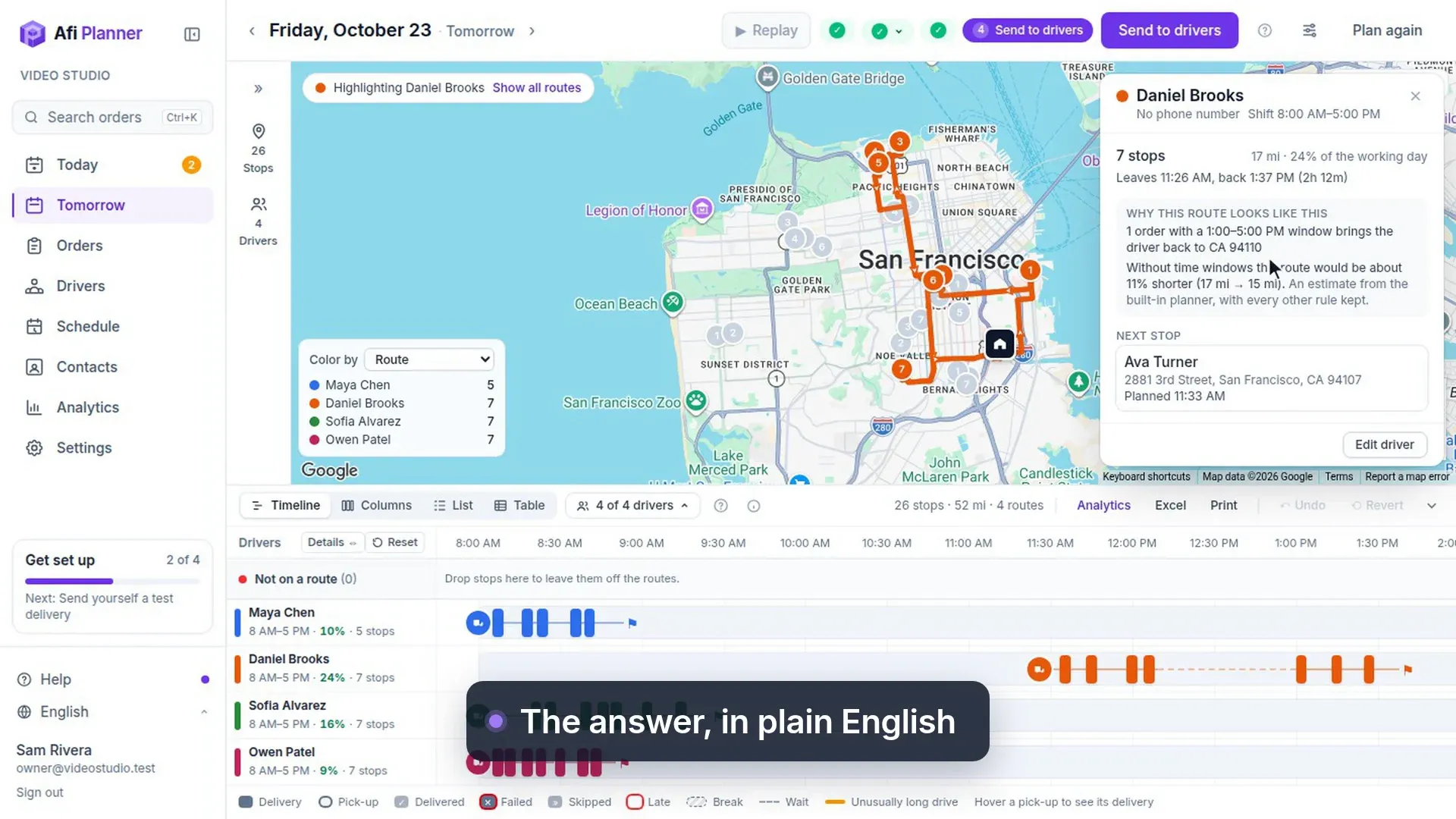
Time windows, van capacity by packages and weight, shifts with breaks, refrigerated orders, priorities: Afi Planner plans around all of them at once, then explains anything that didn’t fit in plain English.
- 176 stops and 8 drivers planned in about 40 seconds
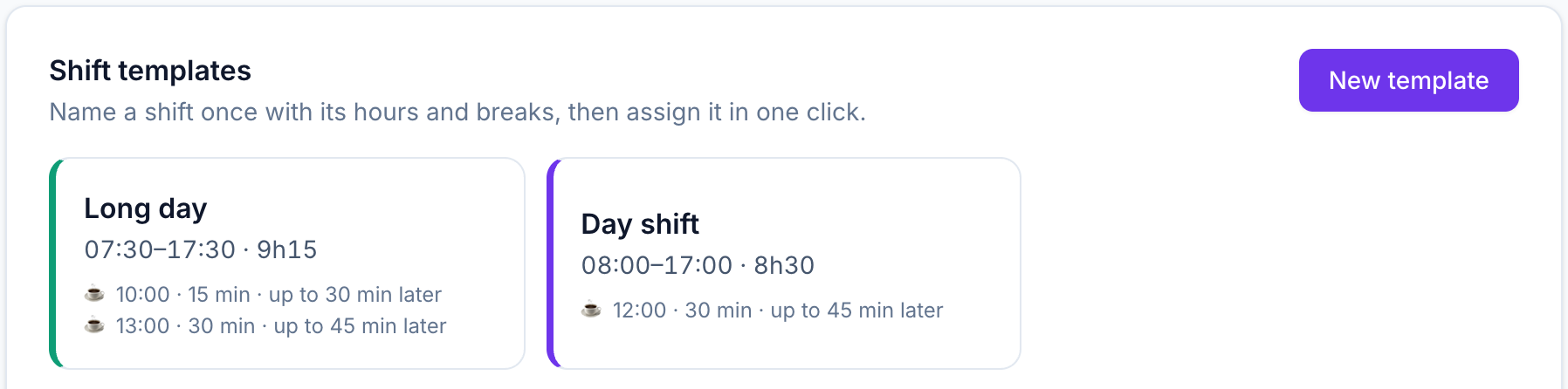
- Two time windows per order and up to four breaks per shift
- Fair-share balancing so no one gets the 10-hour route
Adjust
Drag, drop, done
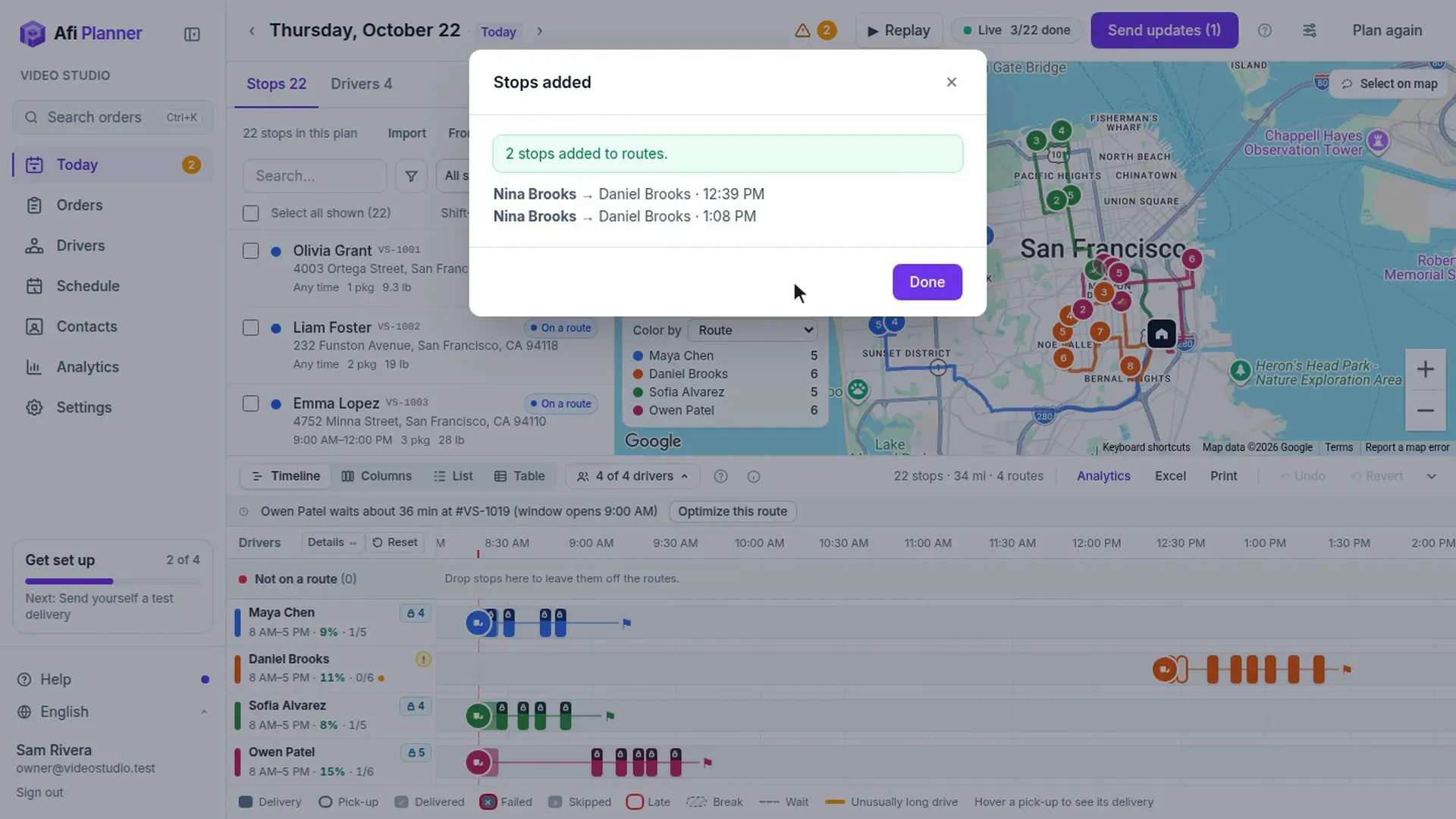
Move a stop to another driver or another hour and every time updates the moment you drop it. Lock the routes you like and re-plan the rest. Undo is always one click away.
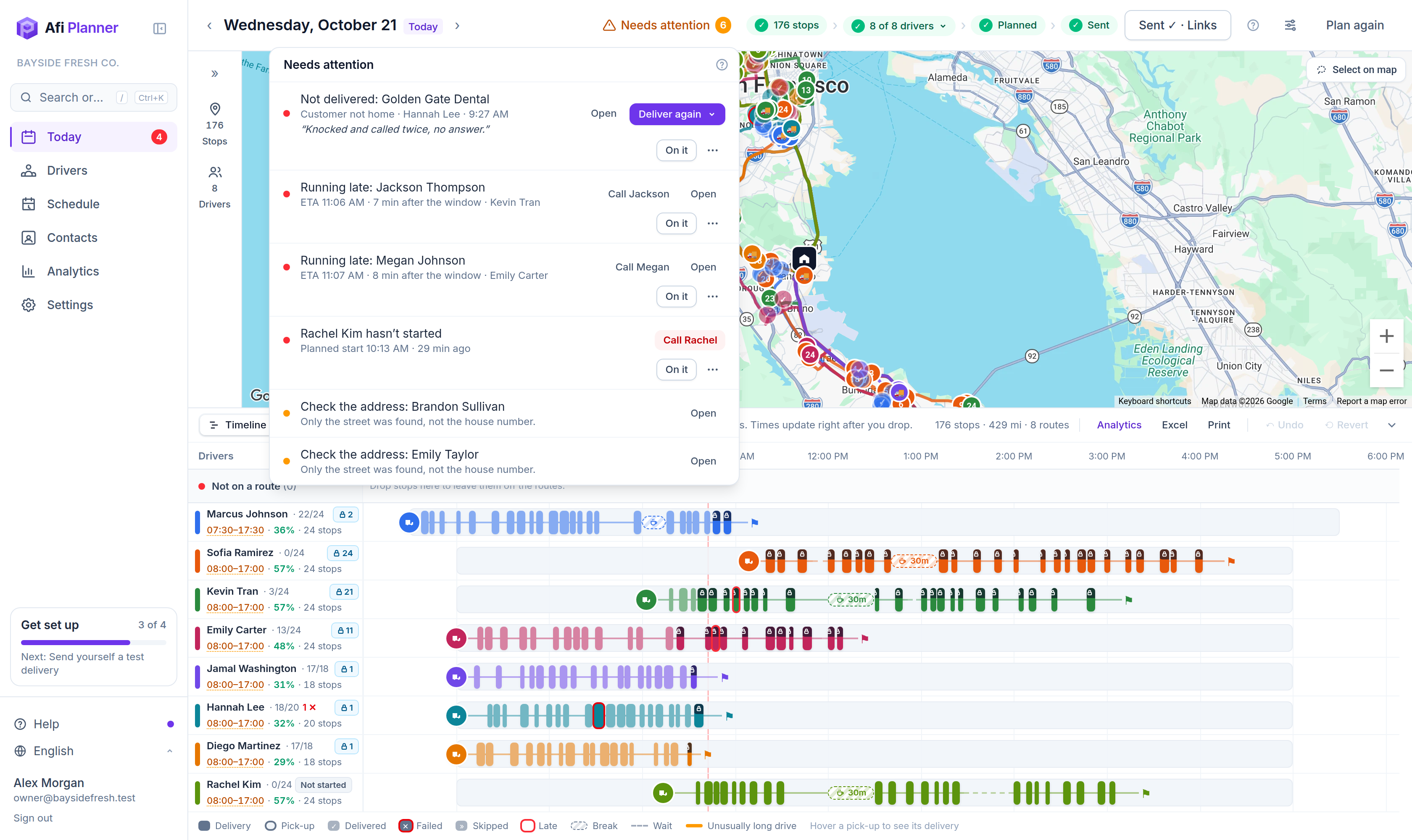
- Timeline with every drive and wait, columns, and route details side by side
- Add rush orders with the fewest changes
- Changes after sending stay a draft until you send updates
Dispatch
Know what needs you before your phone rings
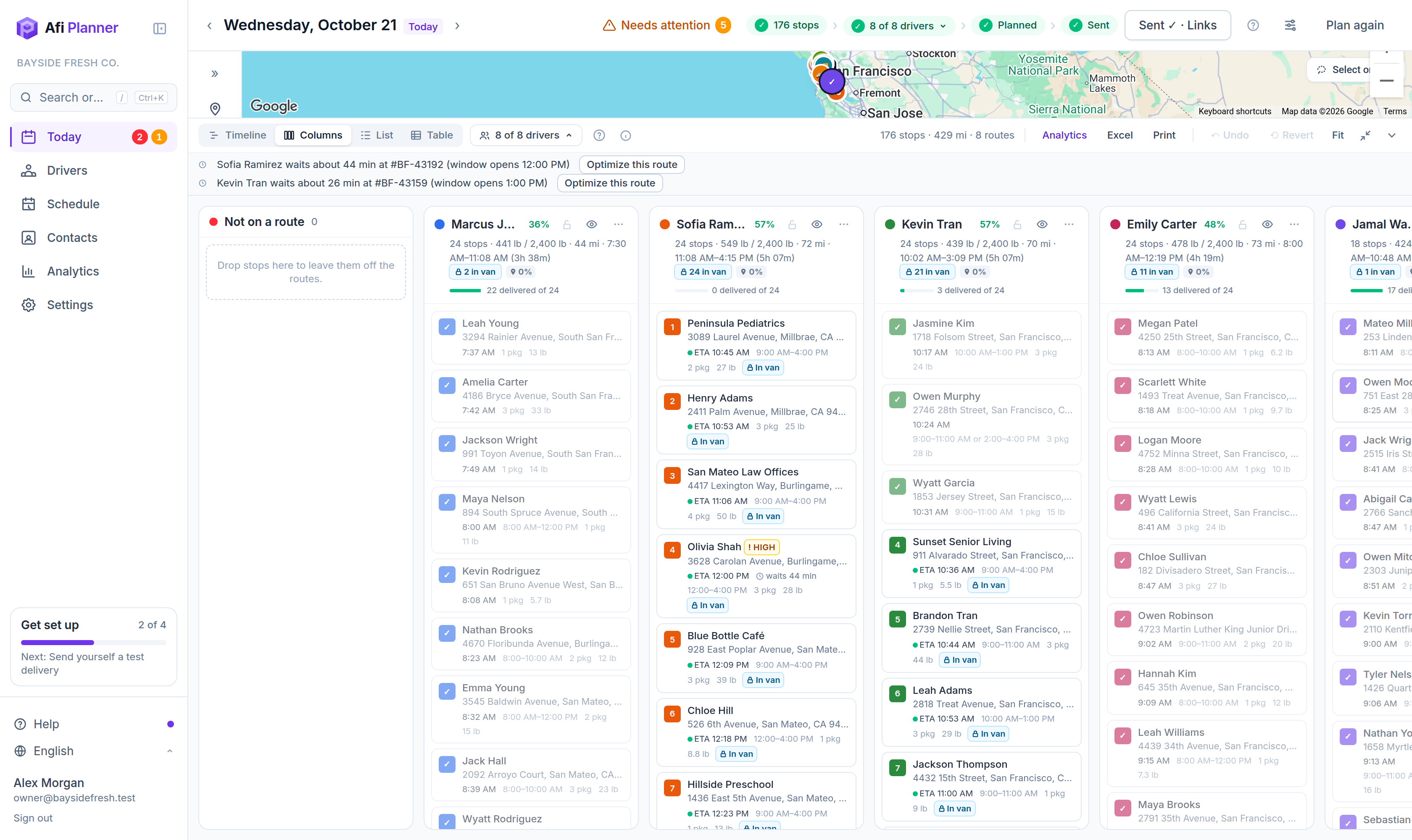
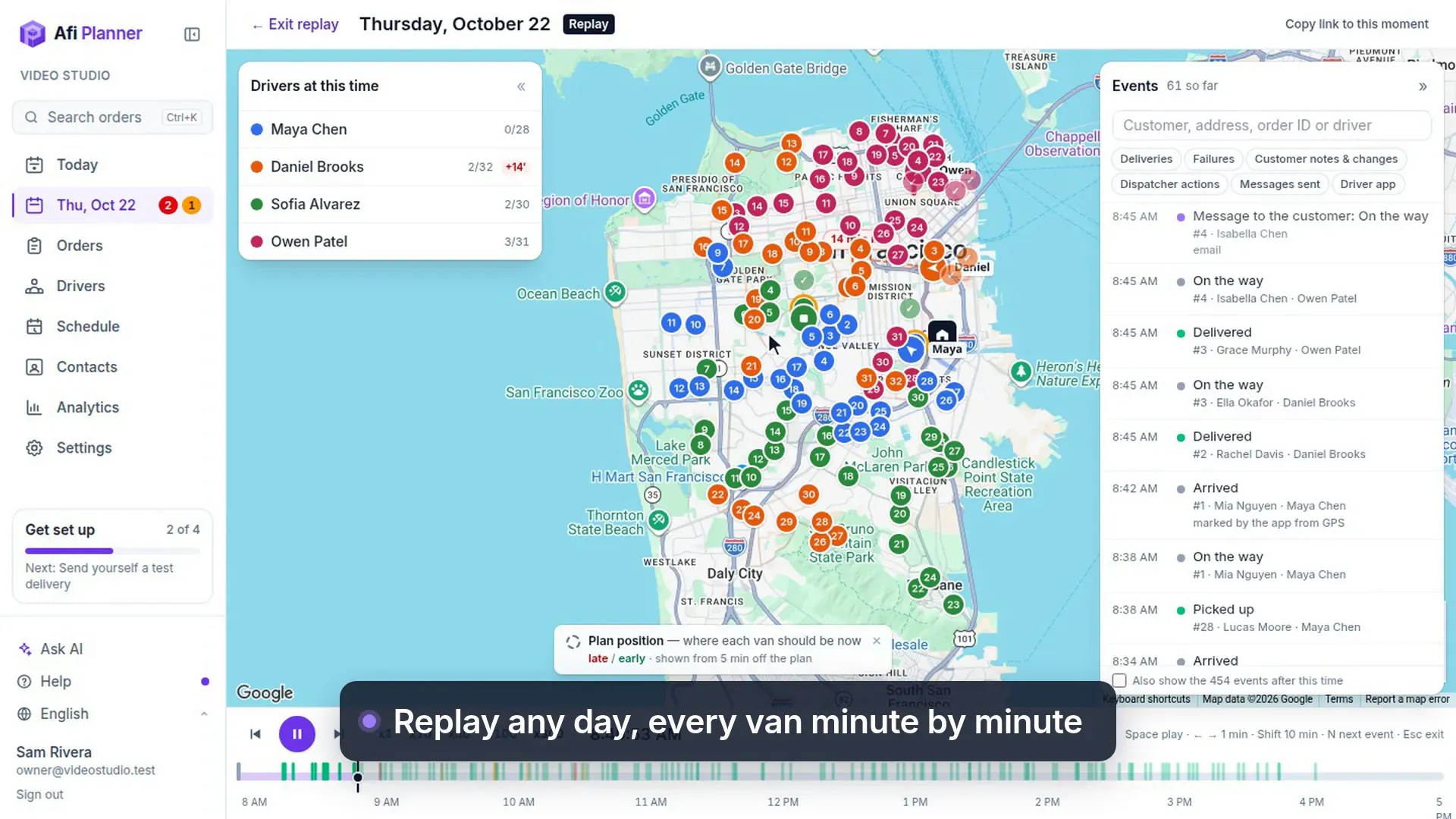
Live positions and live ETAs for every van, and one Needs attention list for failed deliveries, late risks, routes not opened and phones gone quiet, each with its fix one click away.
- ETAs recalculated from driver GPS
- Deliver failed orders again on another day in two clicks
- Per-plan alerts: behind schedule, tight windows, idle drivers
- Every order across days on one Orders page: search, move, hold, export
- Drivers’ Need help and van load checks (Loaded 38/40) in the same list
Analytics
See how every route really went
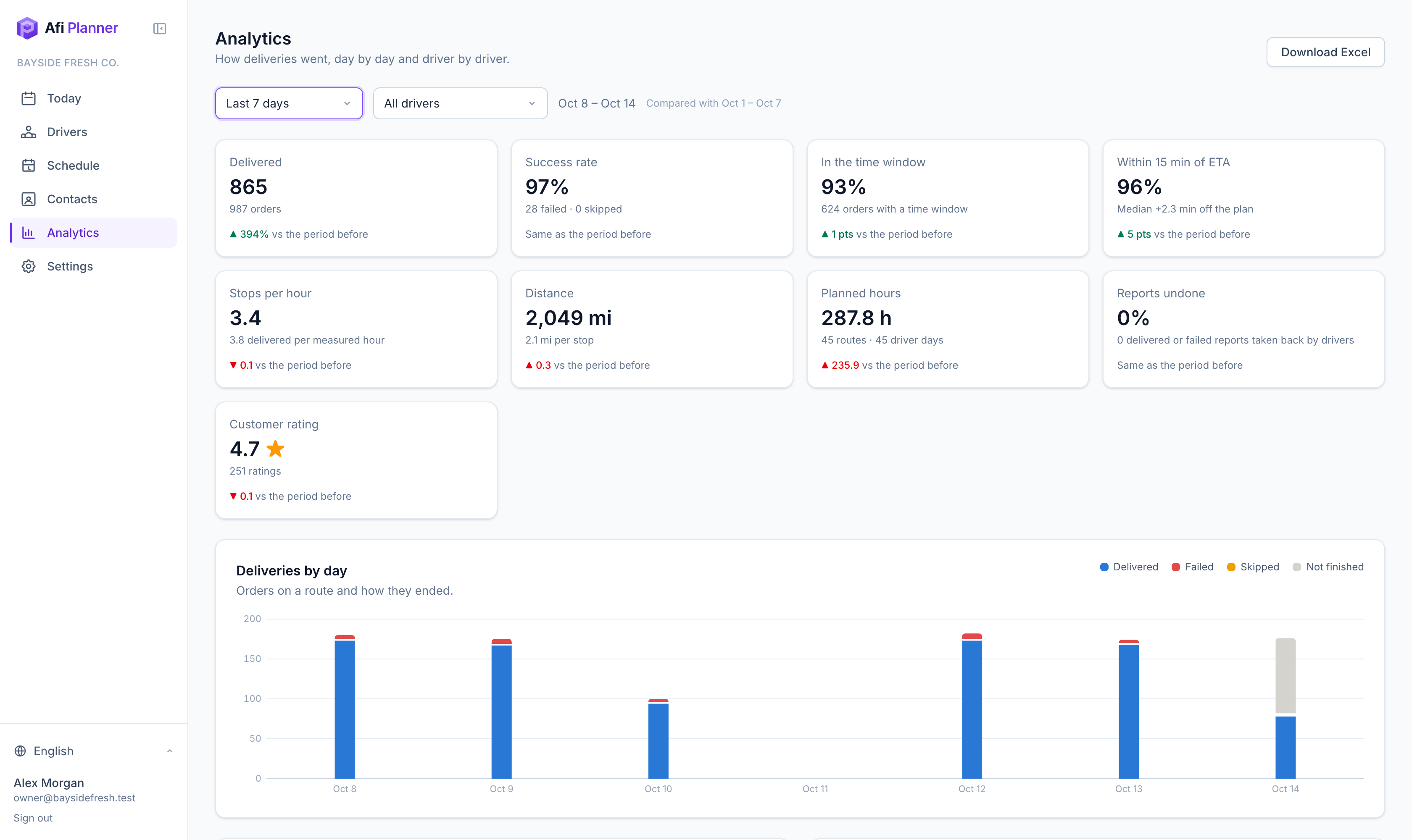
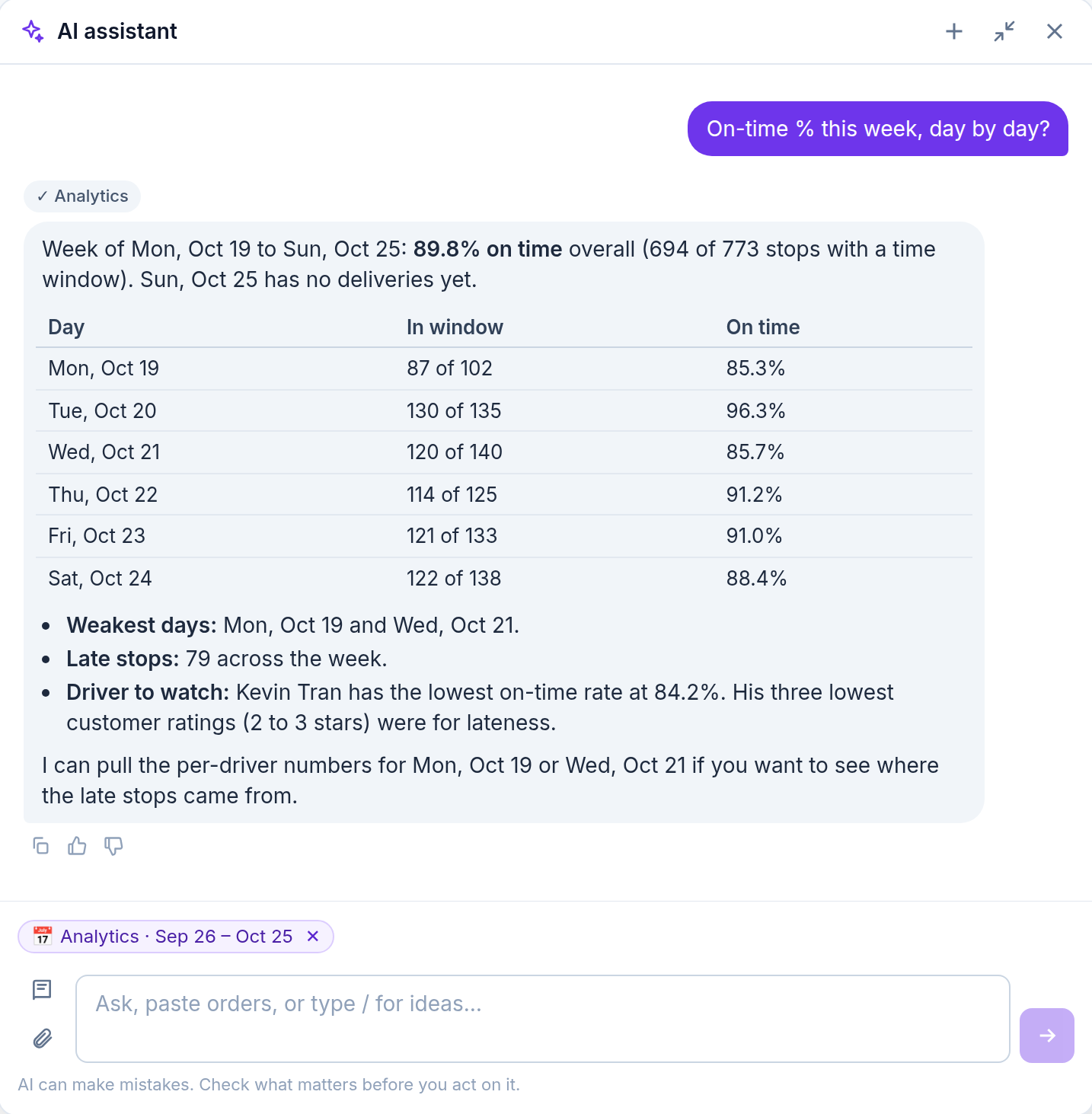
On-time rate, ETA accuracy, stops per hour, miles and customer ratings, by day and by driver, compared with the period before. Export everything to Excel.
- Driver table with planned vs. measured hours
- Failure reasons and customer comments
- Weekday × hour heatmap
- Travel times learned from GPS, as suggestions you apply
Driver app & customer tracking
Everyone on the same page, including your customers
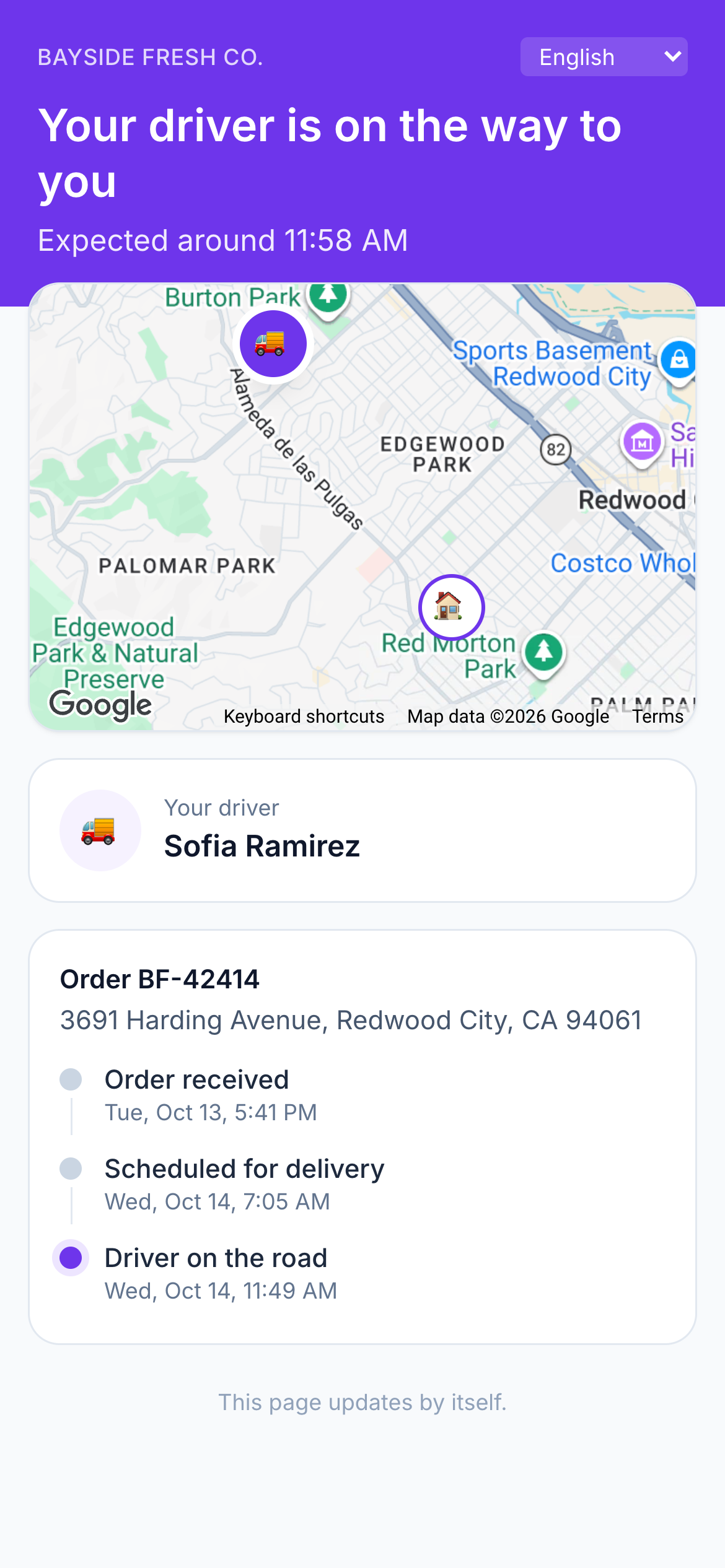
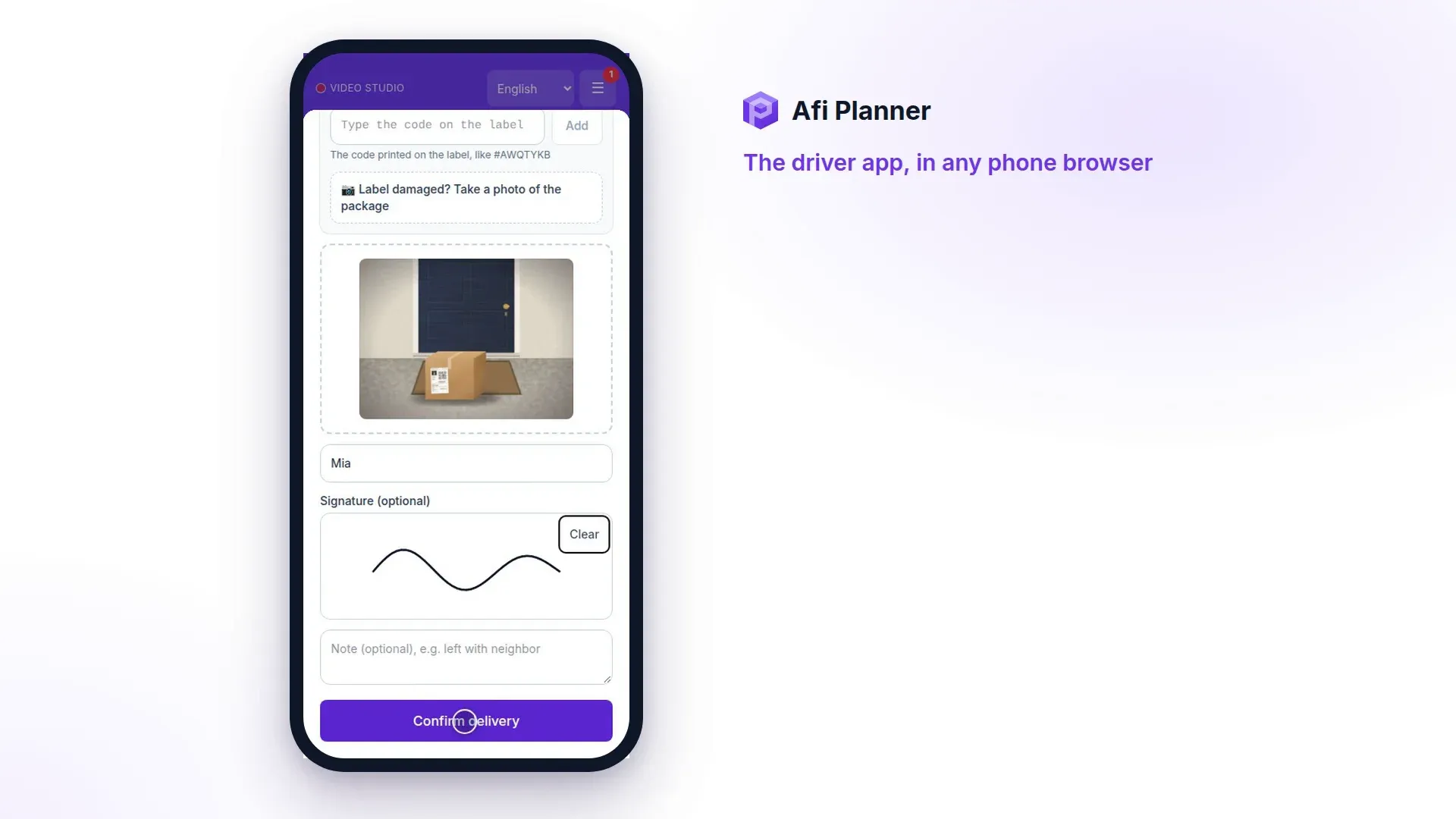
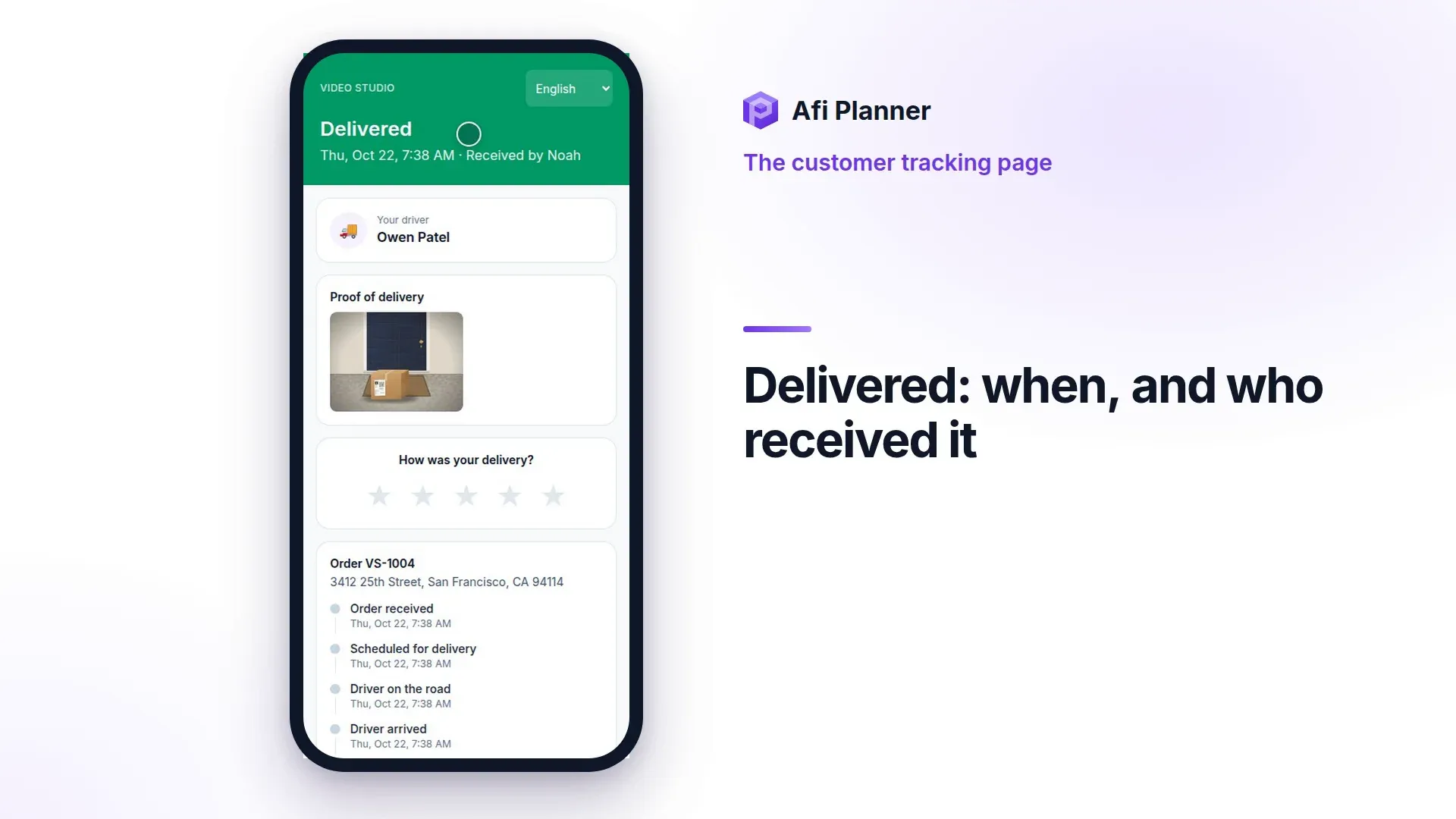
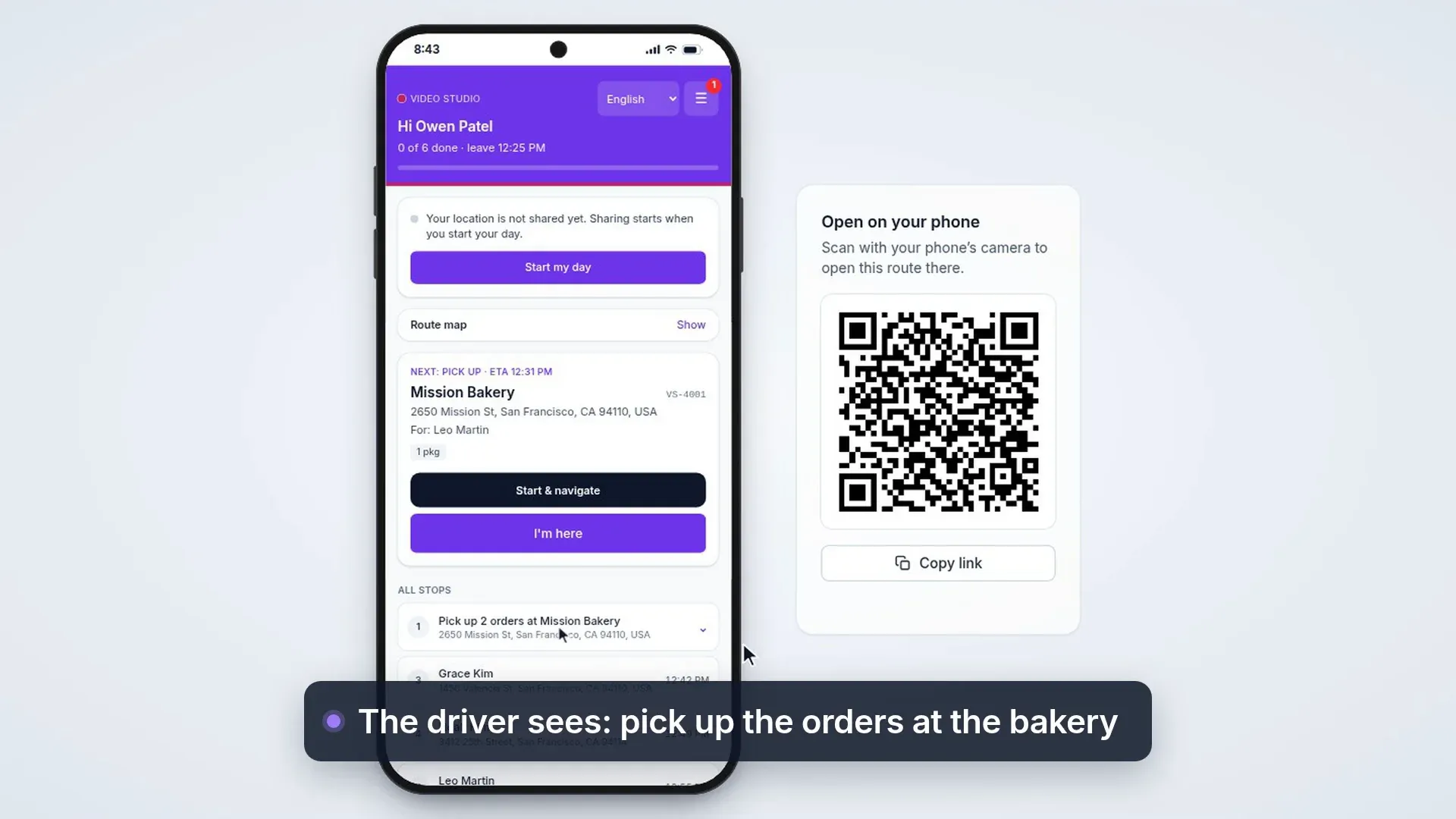
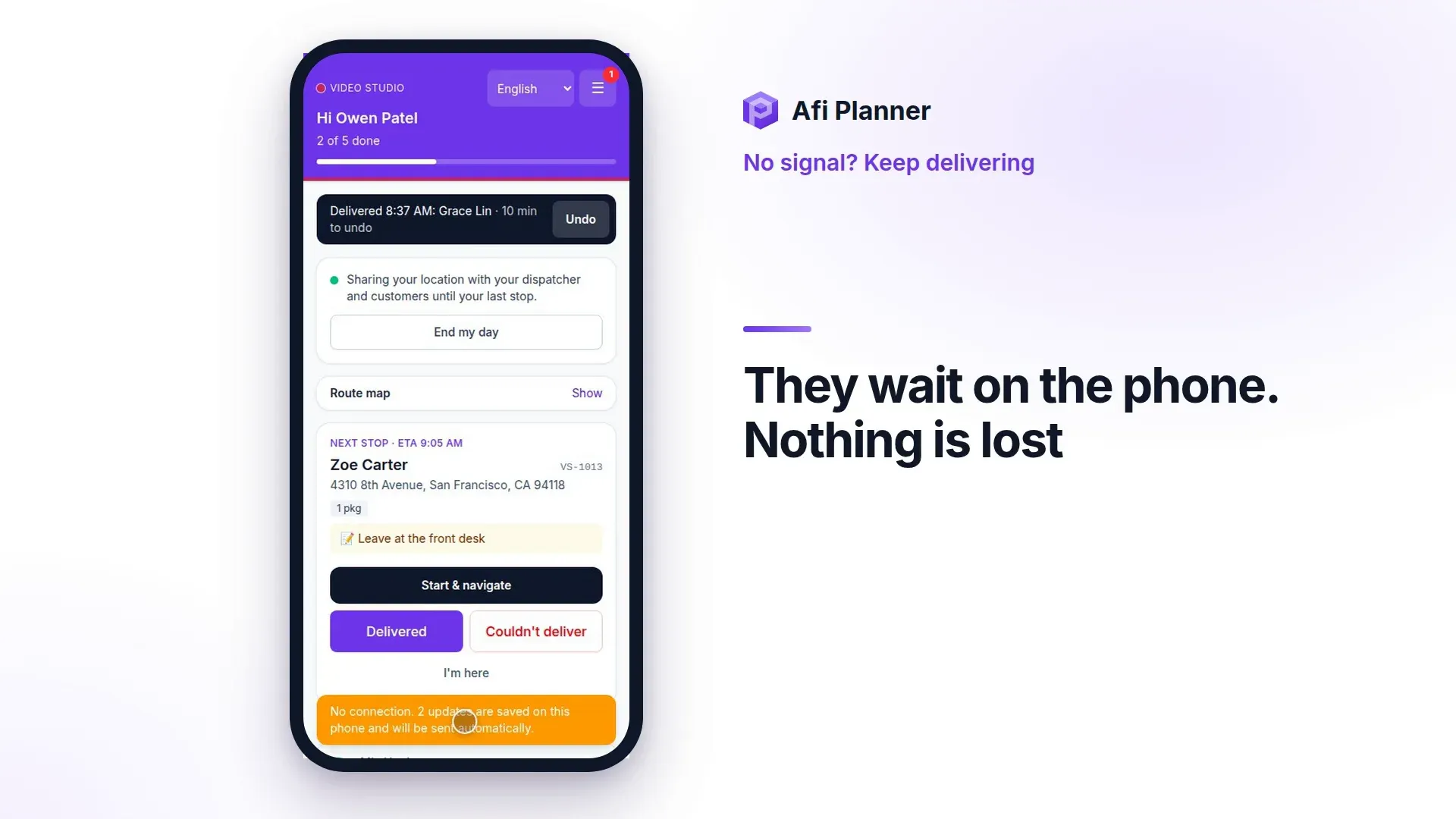
Drivers see the next stop first, navigate with Google Maps, Waze or Apple Maps, and capture proof of delivery in seconds, in the app even without signal. Customers follow their delivery live and rate it when it arrives.
AI assistant
Ask about your day in plain words
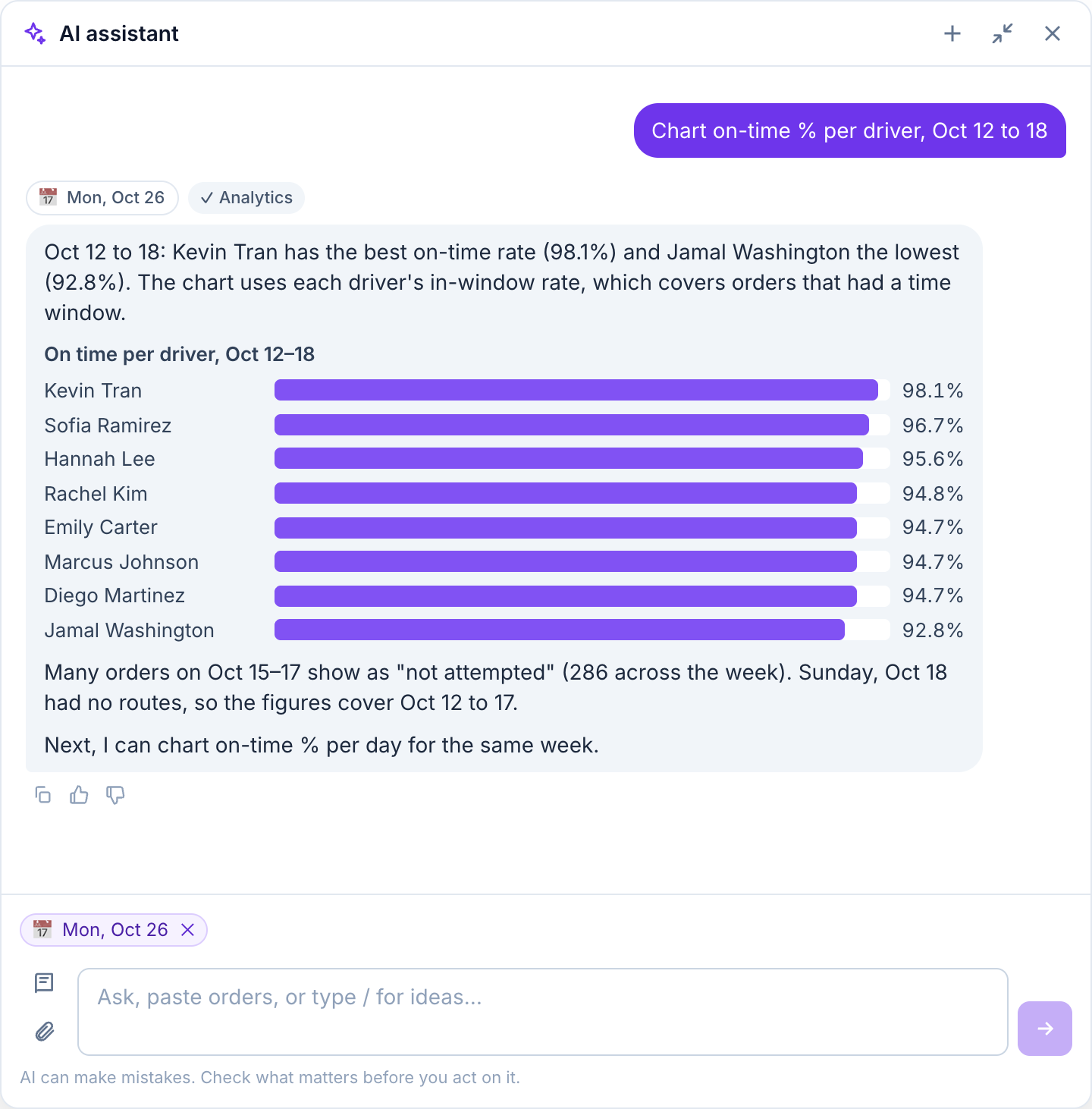
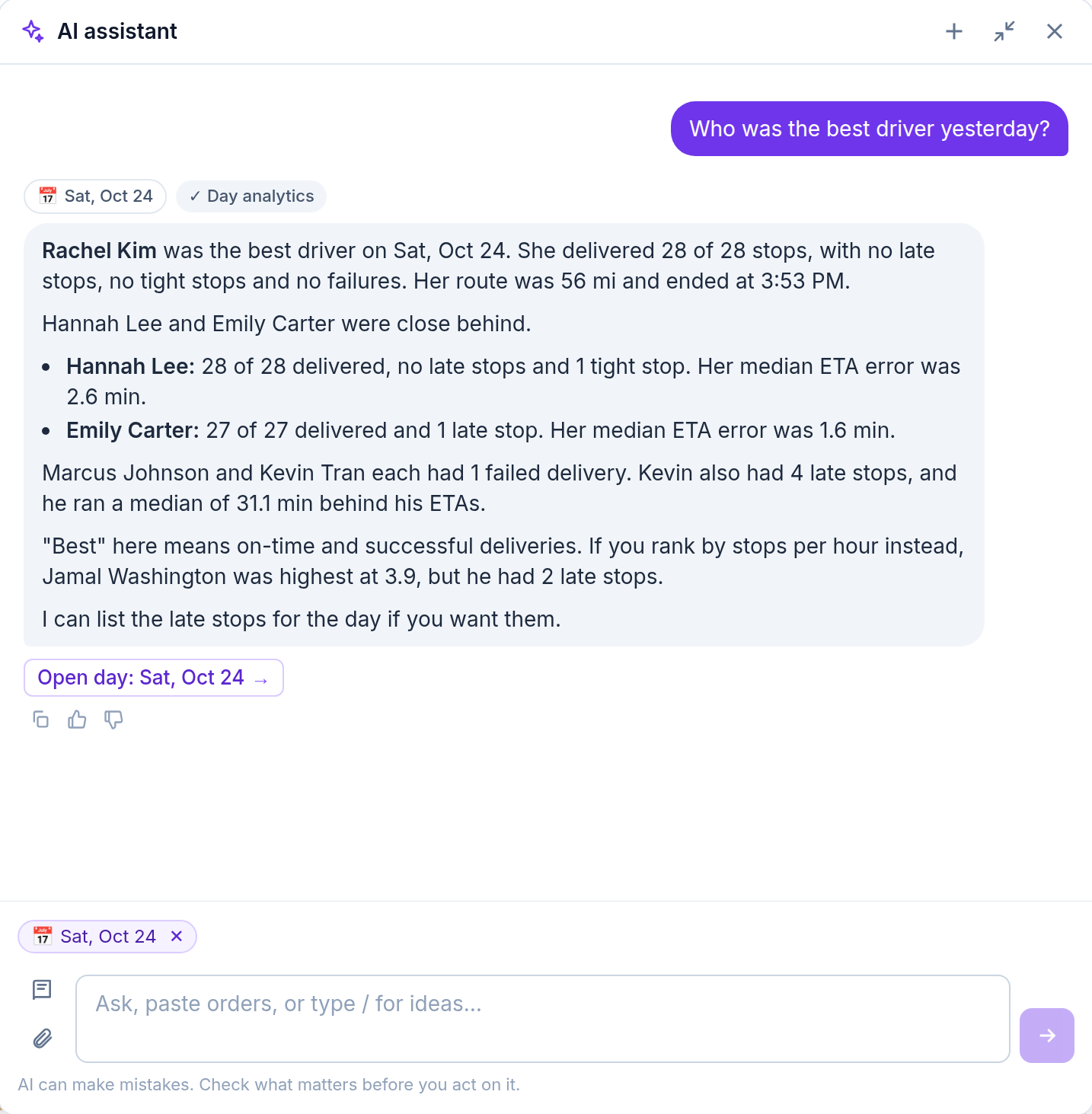
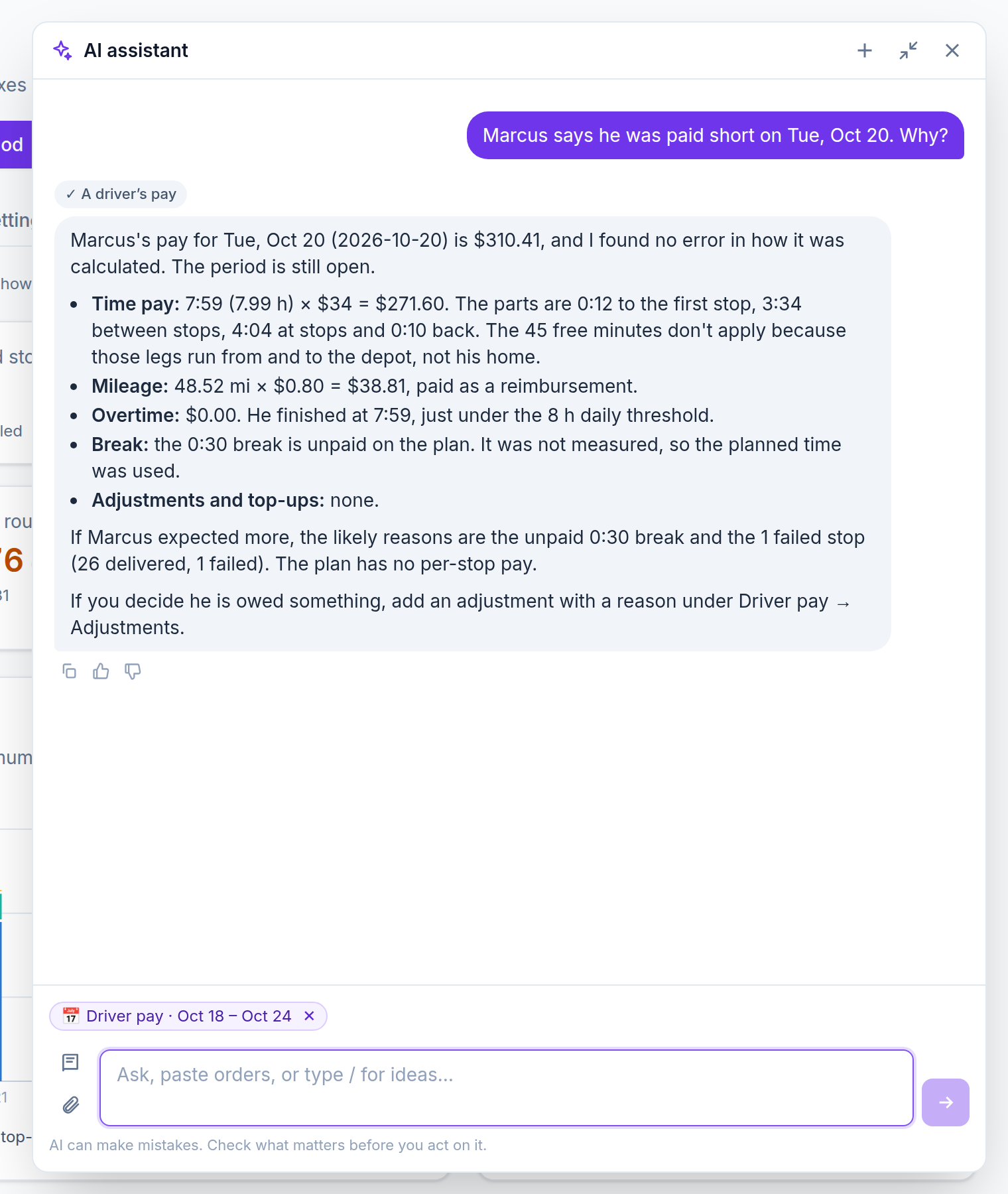
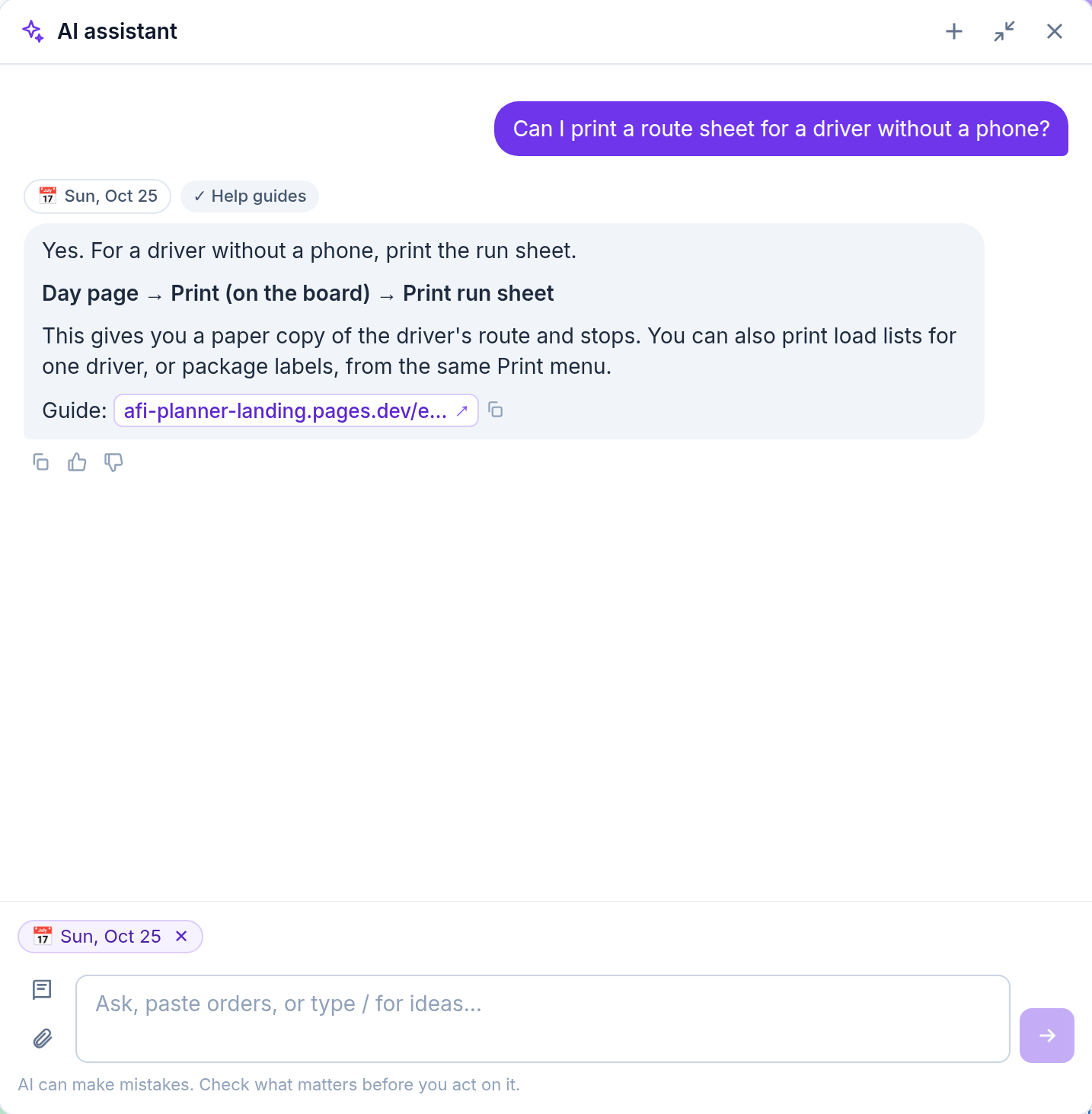
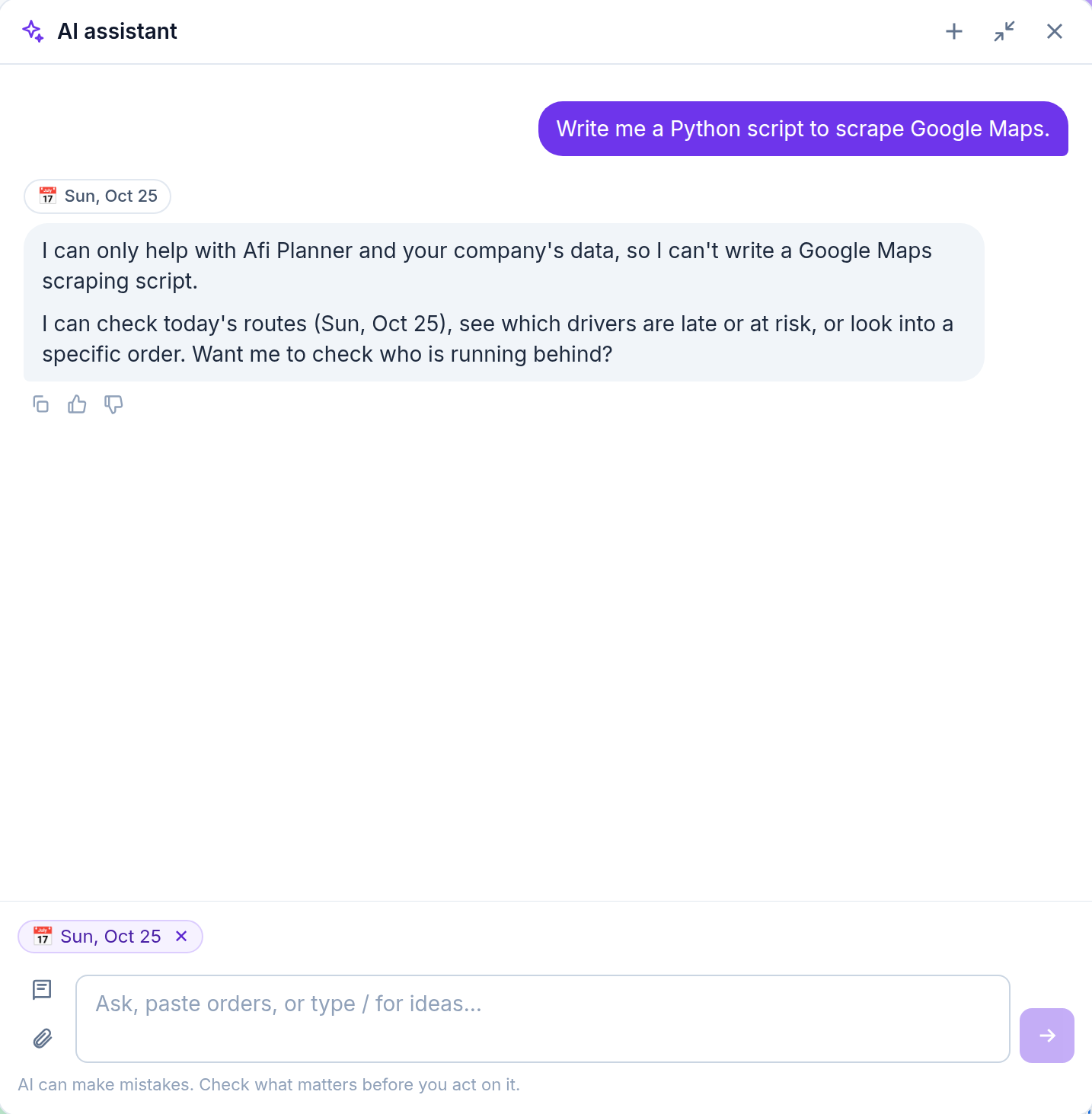
The AI assistant answers from your own routes, orders and drivers. Ask how last week went, who is running late or why a route runs in that order, and get the answer in a few lines, a small table or a chart, with links to the order, the route or the guide.
- Reads orders from a pasted email, a photo or a PDF into the import preview
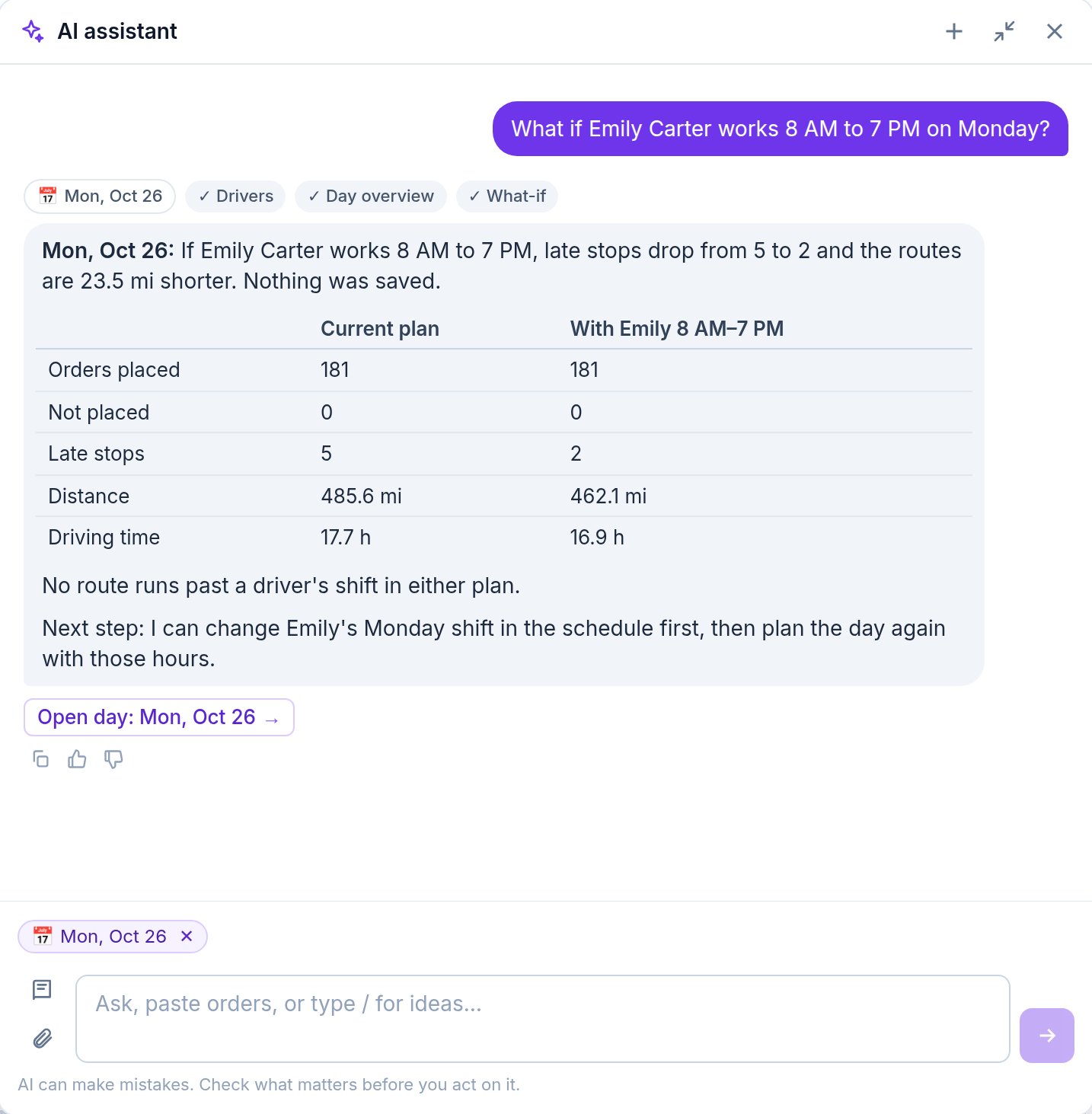
- Prepares a plan or a what-if, like a driver off or one van less, and says first who would run late or past their shift, without touching your routes
- Knows what you’re looking at: the day, the order or the driver you picked
- Keeps your chat to pick up where you left off, with links to the order, its history and the replay
- Draws a chart when you ask for one, opens wide for tables, and copies any answer as plain text
- Every change is shown as a preview first and happens only when you click Confirm
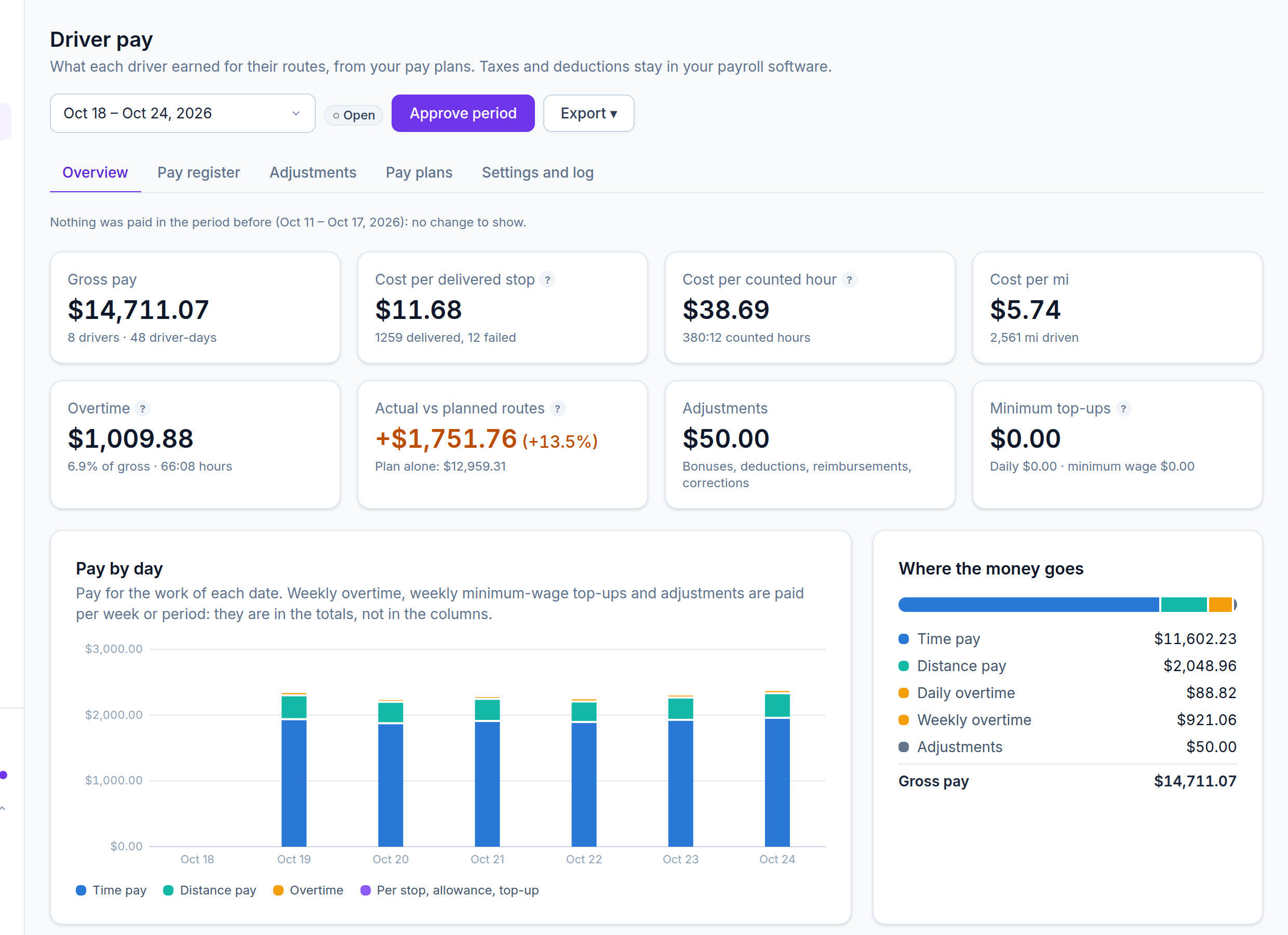
- Explains driver pay to your finance team: a driver’s day part by part, overtime, what still needs approving
- Sees only what your role may see
- Off until your company turns it on in Settings
Use Afi Planner from your AI assistant
Connect any AI assistant that supports MCP with your Afi Planner sign-in and ask about your routes, orders and drivers from there. Read-only: it changes nothing, and you can disconnect it any time in Settings.
Works with Claude · ChatGPT · Gemini · any MCP appQuestions planners asked it:
Demo videos
See it in action
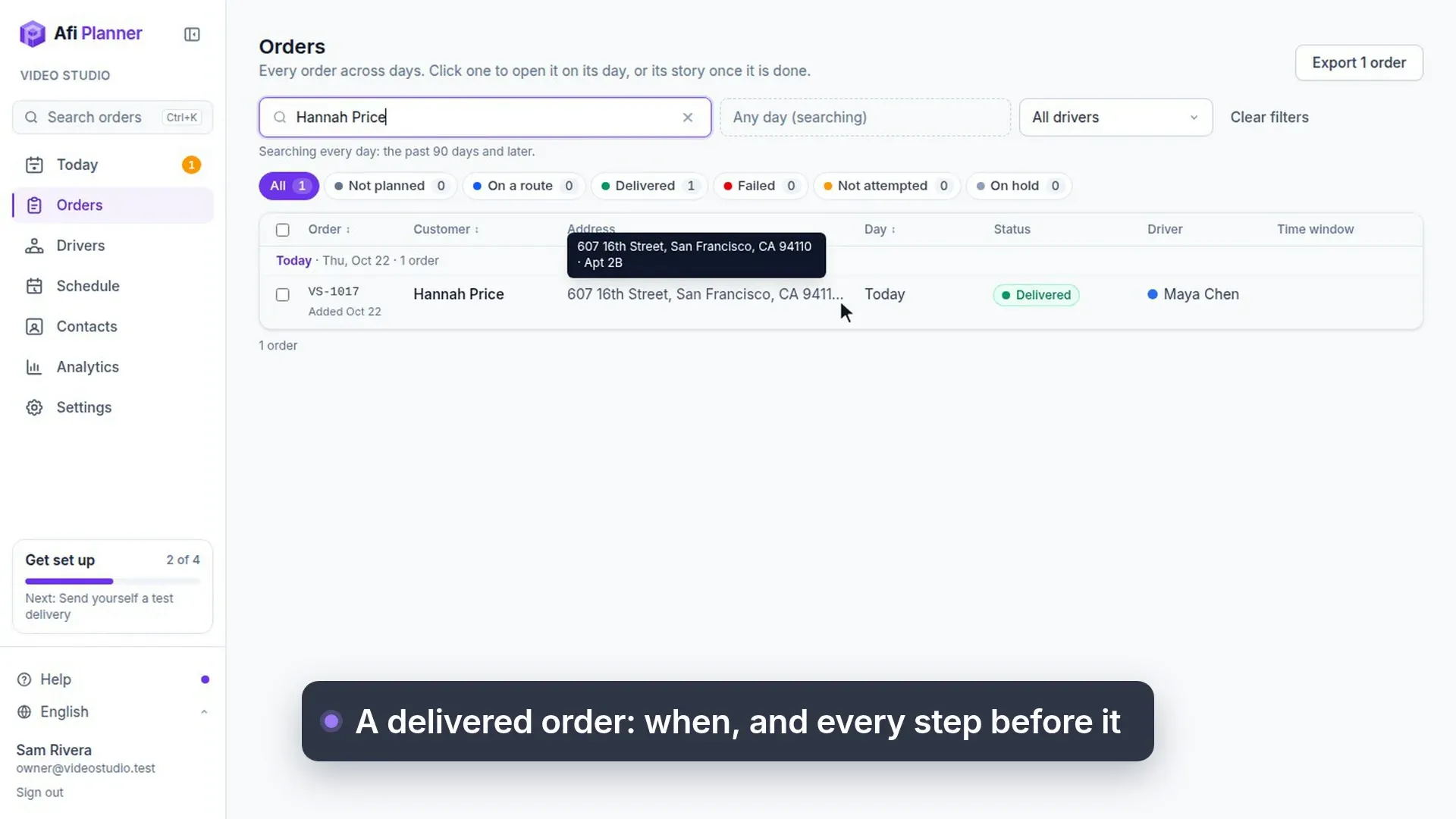
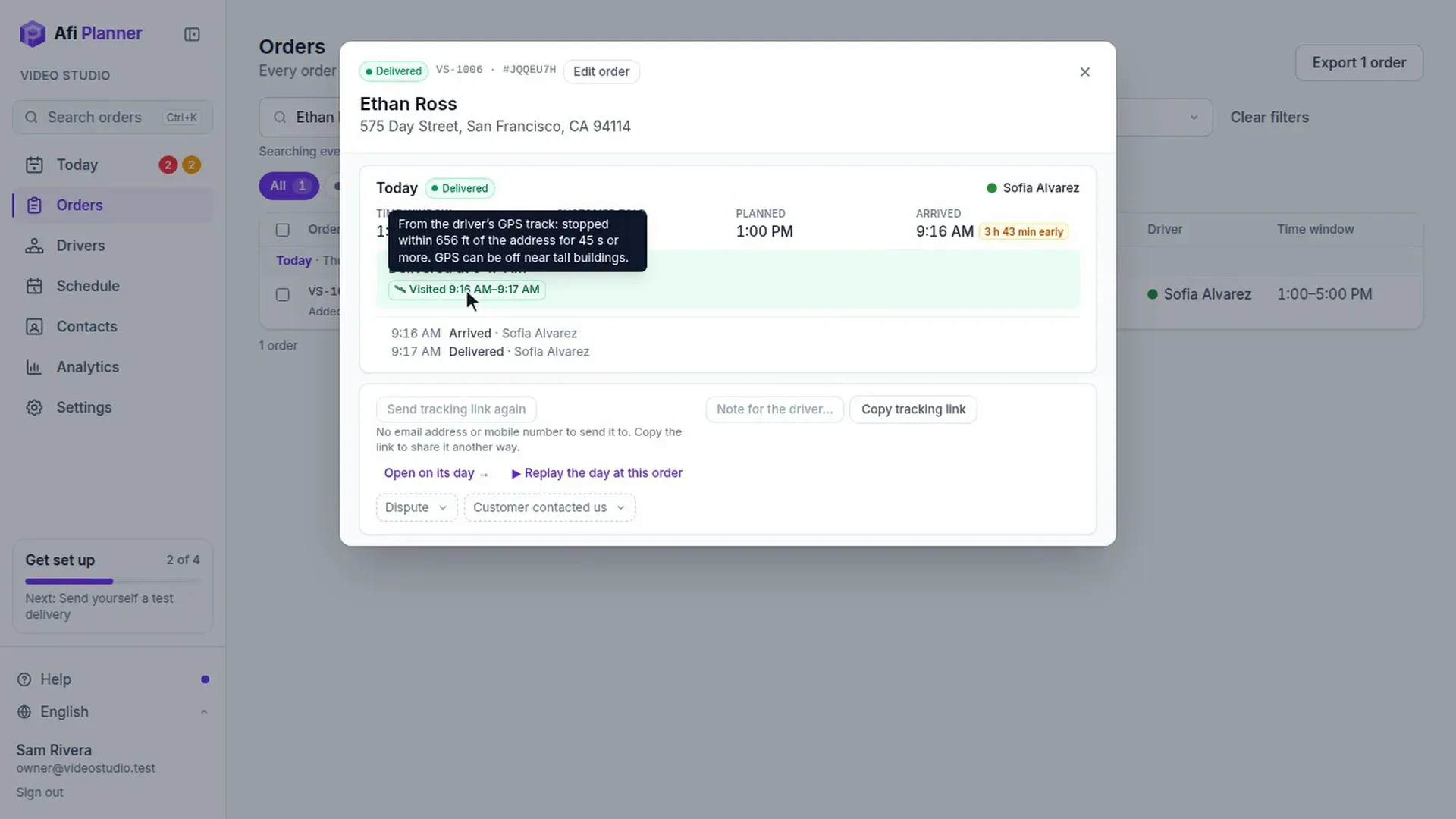
Short silent videos recorded in the product. Pick one to watch.
Everything included
The details your operation depends on
No add-ons and no feature tiers during your trial. Every team gets the full product. Click any feature for a step-by-step guide.
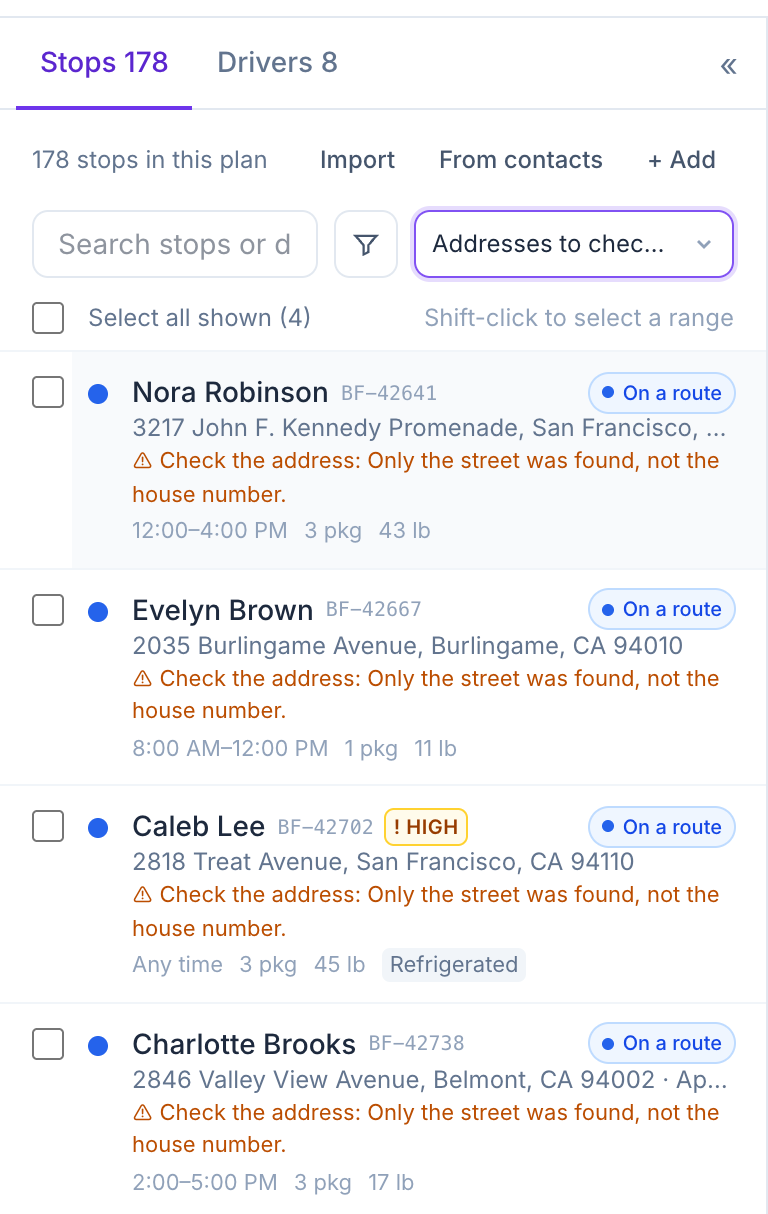
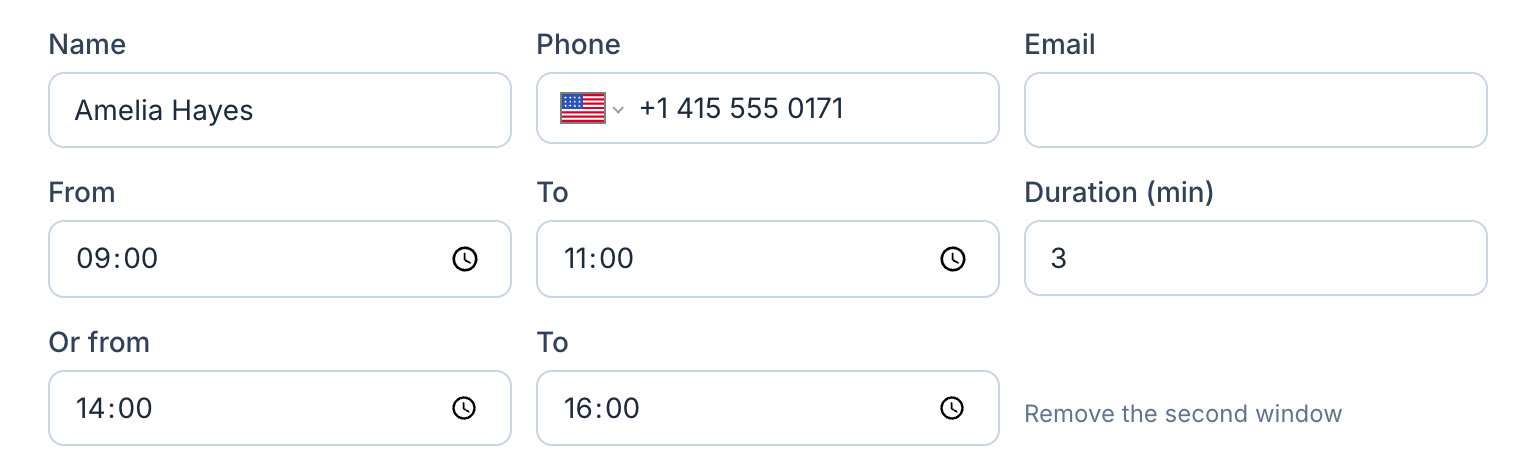
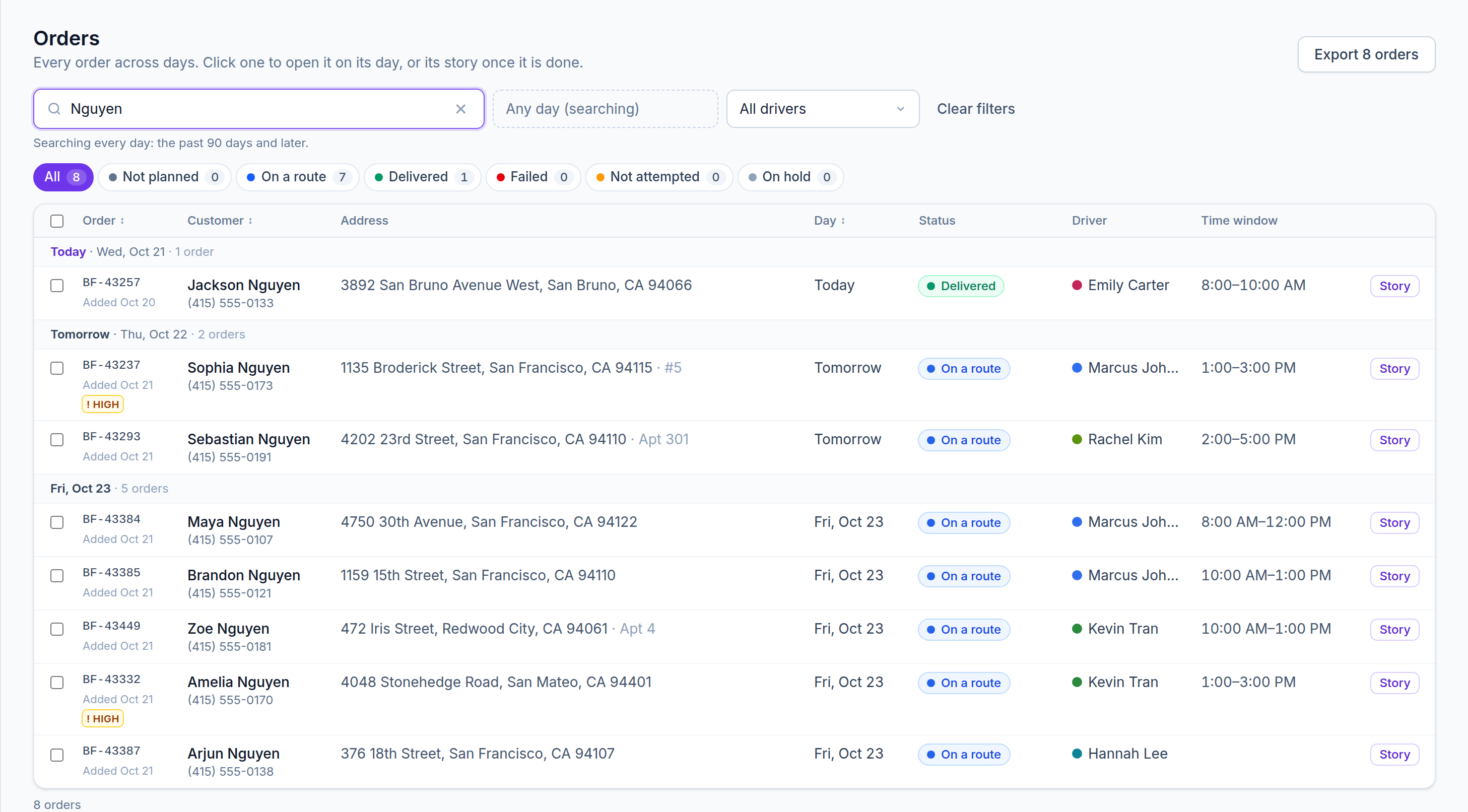
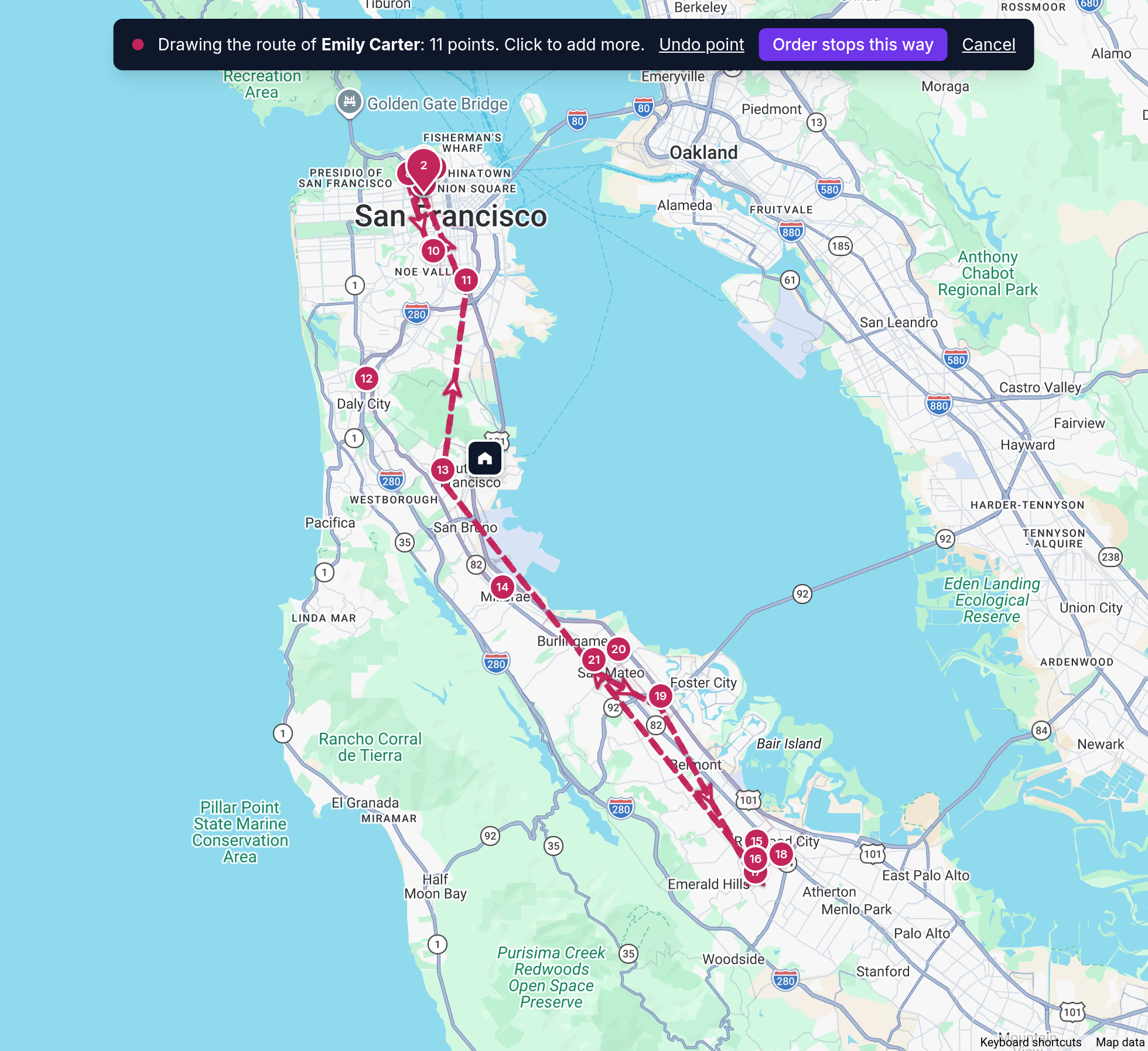
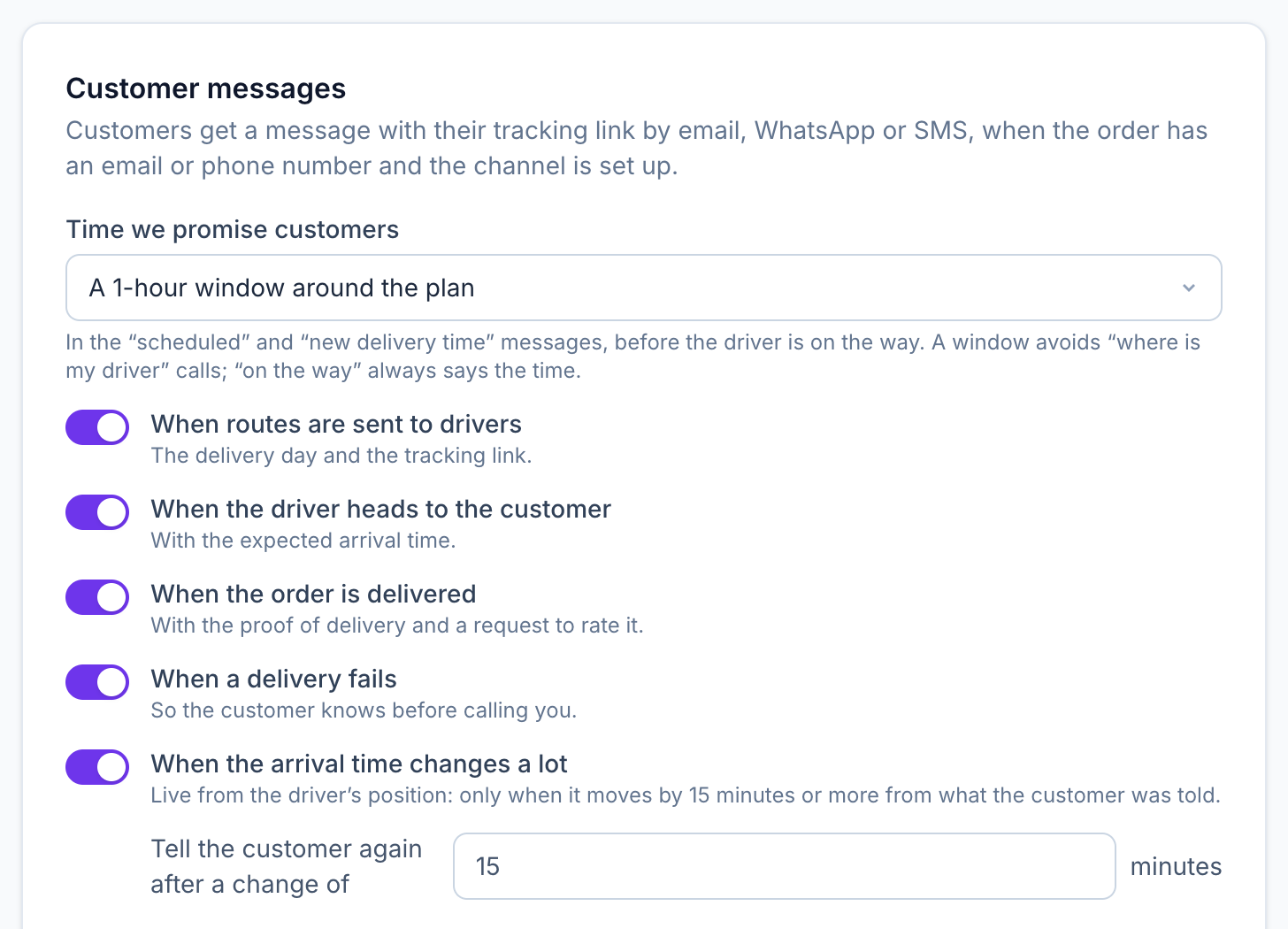
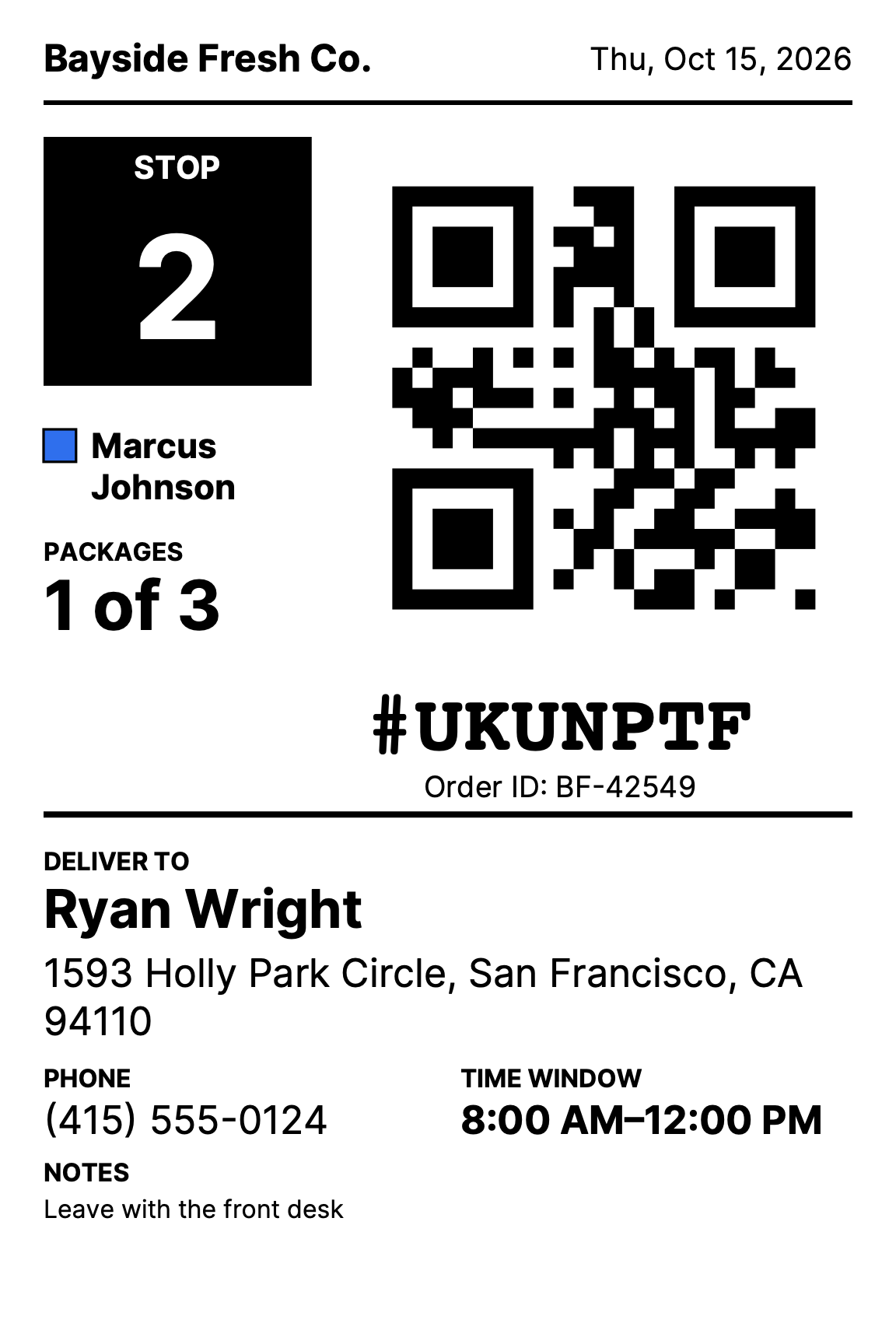
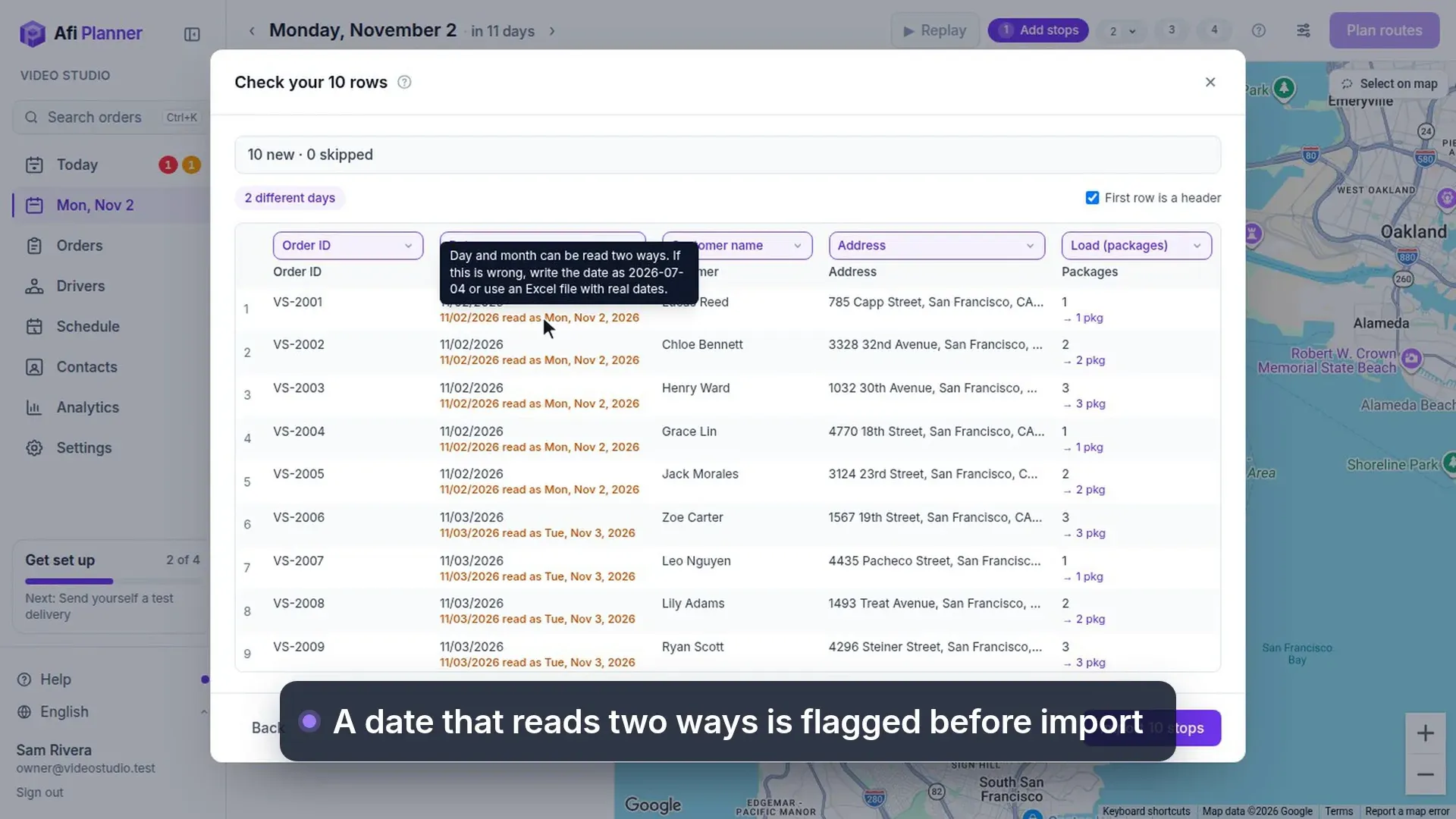
Paste from spreadsheets. Excel, CSV or Google Sheets; common column names recognized.
See how it worksImport stops · step 2
Why teams switch
Your day, before and after
| Task | Spreadsheets & phone calls | With Afi Planner |
|---|---|---|
| Planning tomorrow | 2–3 hours of map tabs and guesswork | About 40 seconds, then a quick review |
| Changes during the day | Phone calls and a whiteboard | Drag a stop, drivers get one update |
| “Where is my order?” | Dispatcher calls the driver | Customer follows a live tracking page; your team finds any order in seconds |
| “The driver never came” | Call the driver and hope they remember | Replay the day at that order from its story: where the van was, minute by minute |
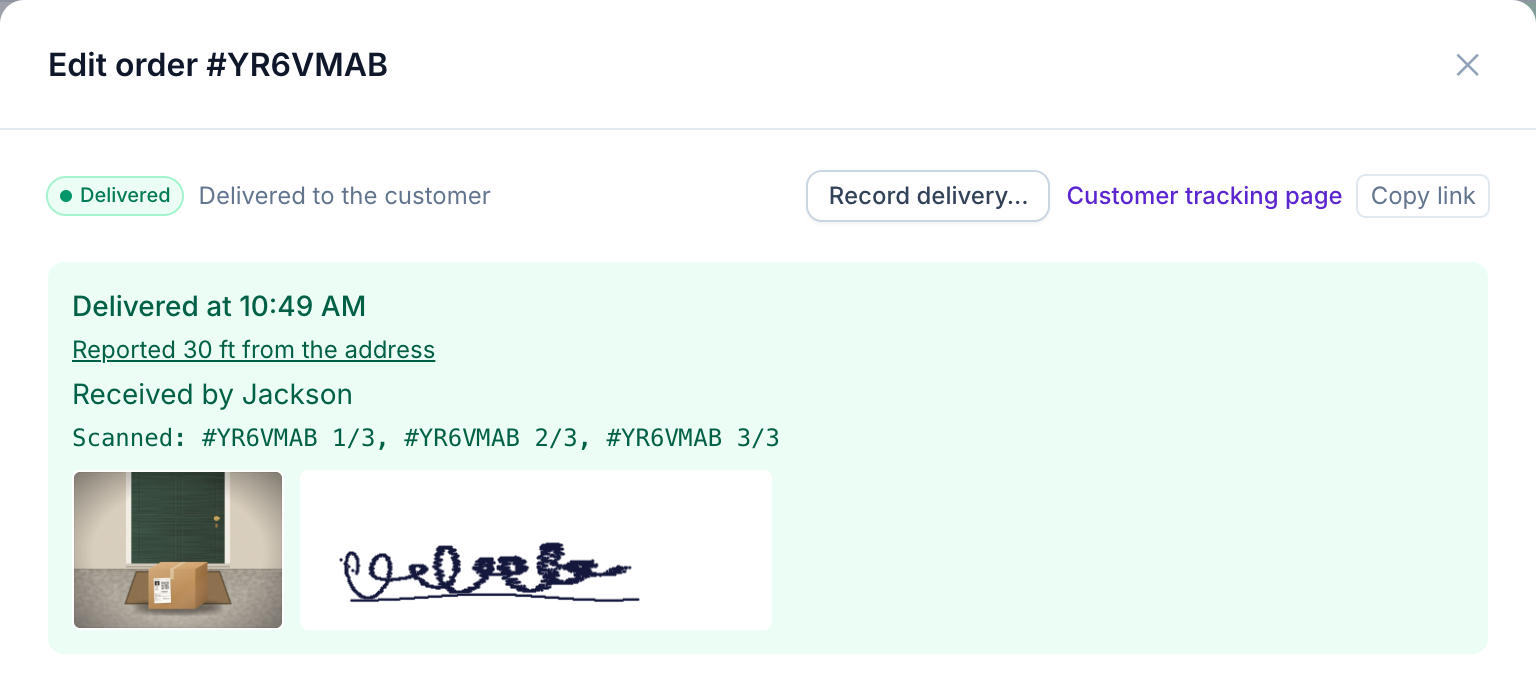
| Proof of delivery | Paper slips, lost photos | Photo, signature, time and GPS in every delivery report |
| End-of-week report | Copying from texts into a spreadsheet | Analytics and Excel export, ready |
From Afi Labs customers
The team behind Afi Planner has been building routing since 2013
“The Proforce Route Planner cut our fuel use by 22% per appointment.”
“What sets Afi Labs apart is the combination of deep Google Maps expertise and a real understanding of last mile logistics.”
Quotes about Afi Labs’ routing projects. Read 30 case studies on afi.io →
Frequently asked questions
How long does it take to get started?
Most teams plan their first real day within minutes of signing up: enter your depot, paste your stops, say how many drivers you have and click Plan routes.
What does the free trial include?
Every feature for 3 months, up to 500 stops per plan, with no credit card. Talk to us when you need more.
Do my drivers need a special phone?
No. The Afi Planner Driver app for Android and iPhone is in early access, and any driver can open their route from a text-message link in any phone browser.
Where does the routing come from?
From Afi Labs’ routing engine, built by a Google Maps Platform Premier Partner. Teams that use Google Cloud can plan on their own Google Route Optimization project instead.
Can we deliver across time zones?
Yes. Every time is shown in the local time of the stop or the driver, worked out from the coordinates.
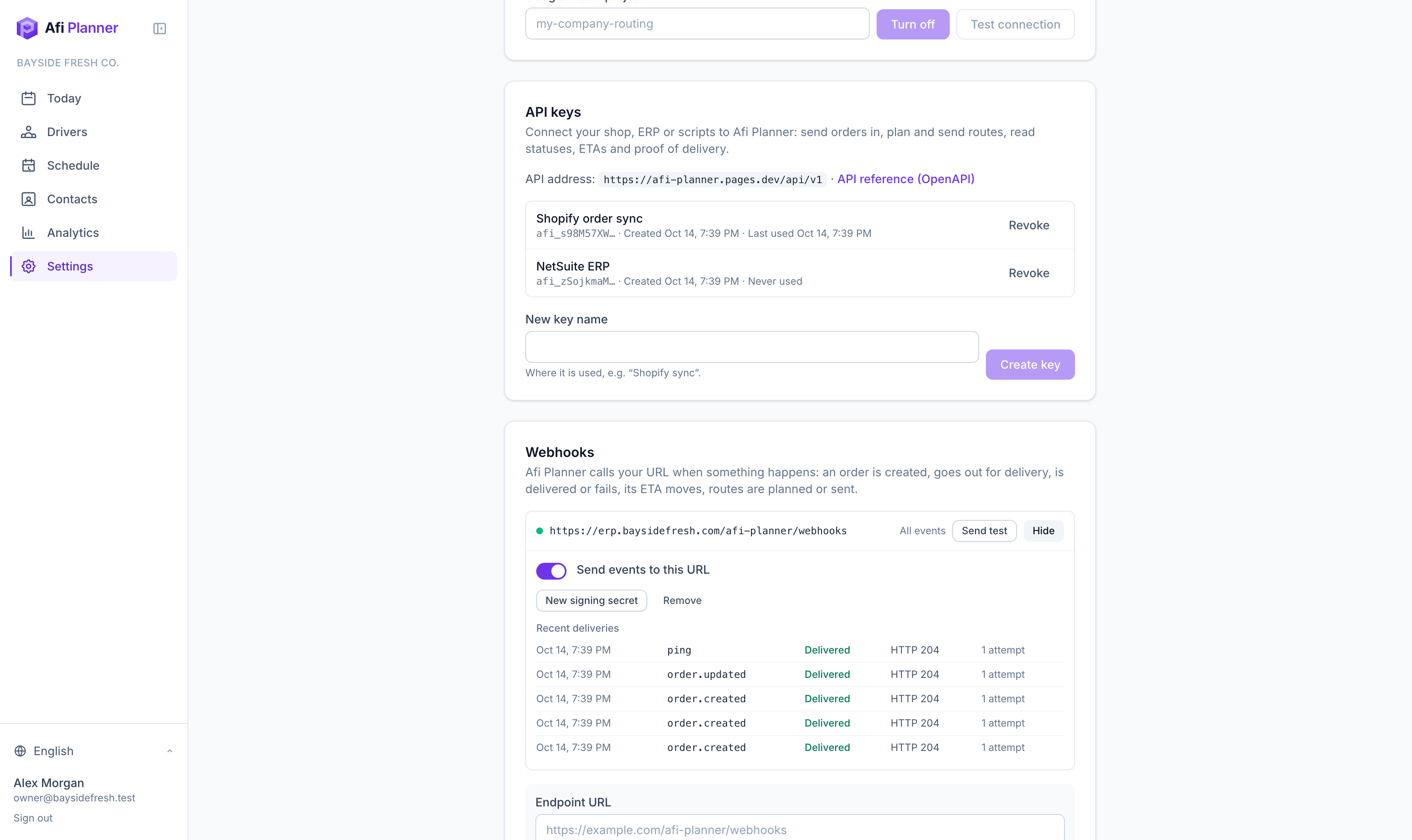
Can it connect to our store or ERP?
Yes. A REST API takes orders in and plans and sends routes, and signed webhooks send statuses, ETAs and proof of delivery back to your systems. Both are included in every plan.
Is my data private?
Each company has its own separate database. Driver links and tracking pages are long random links that can’t be guessed, and proof photos are stored securely.
Plan tomorrow’s routes in the next 3 minutes
Start your free 3-month trial. No credit card, no setup call, no installation.